Getting Started Checklist
Just started with Salonnare? At the top of your dashboard a checklist appears that guides you through the most important first steps. Work through it and your salon is ready to schedule appointments and take payments.
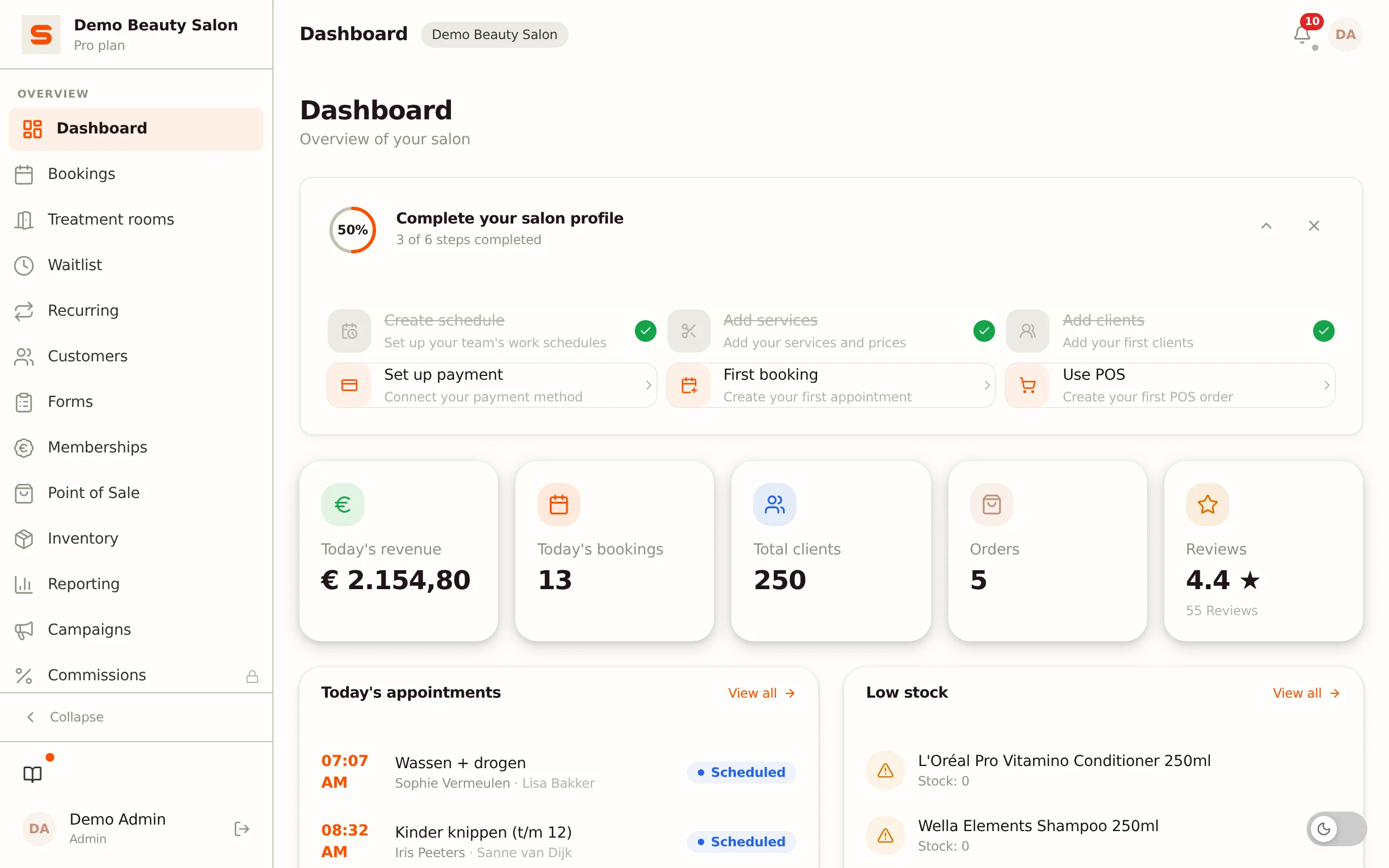
Where to find the checklist
The checklist sits as a card titled Complete your salon profile at the top of the Dashboard. It appears automatically as long as your salon profile isn't complete yet, and disappears once all steps are done.
On the left of the card you'll see a circular progress indicator with a percentage, plus the text "X of Y steps completed".
The steps
The checklist contains six steps. Click a step to jump straight to the right screen:
- Create schedule -- set your team's working schedules (via Settings).
- Add services -- add your treatments and prices.
- Add clients -- add your first clients.
- Set up payment -- connect your payment method.
- First booking -- create your first appointment.
- Use POS -- create your first point-of-sale order.
Completed steps get a checkmark and are struck through. The progress indicator goes up automatically as you complete steps.
You don't have to do the steps in order. The checklist recognizes by itself what you've already set up -- if you add services through the normal menu, for example, that step is ticked off automatically.
Collapsing or hiding the checklist
- The arrow button at the top right of the card collapses or expands the steps, while the progress stays visible.
- The cross button hides the checklist. It then won't come back in this browser, even if not all steps are completed yet. On another device or in another browser you'll see it again.
Once all steps are completed, the checklist disappears from your dashboard on its own.
Related topics
- Getting started -- your first steps in Salonnare.
- Dashboard -- your home screen with overview and quick actions.
- Settings -- all your salon's settings in one place.