Where you were stays put
You're halfway through a product form, the phone rings, you click away. Or you have a list filtered exactly right and accidentally hit refresh. Either way, Salonnare holds on to where you were. You don't need to set anything up for this.
Your place on screen
-
Step 1: Choose a tab and work list
The tab you're on, the work list below it, your search term, your filters and the page you're browsing all end up in the web address. If you're in Services & Products on Products under Internal use, the address looks like this:
yoursalon.salonnare.com/app/inventory?tab=products&scope=own_use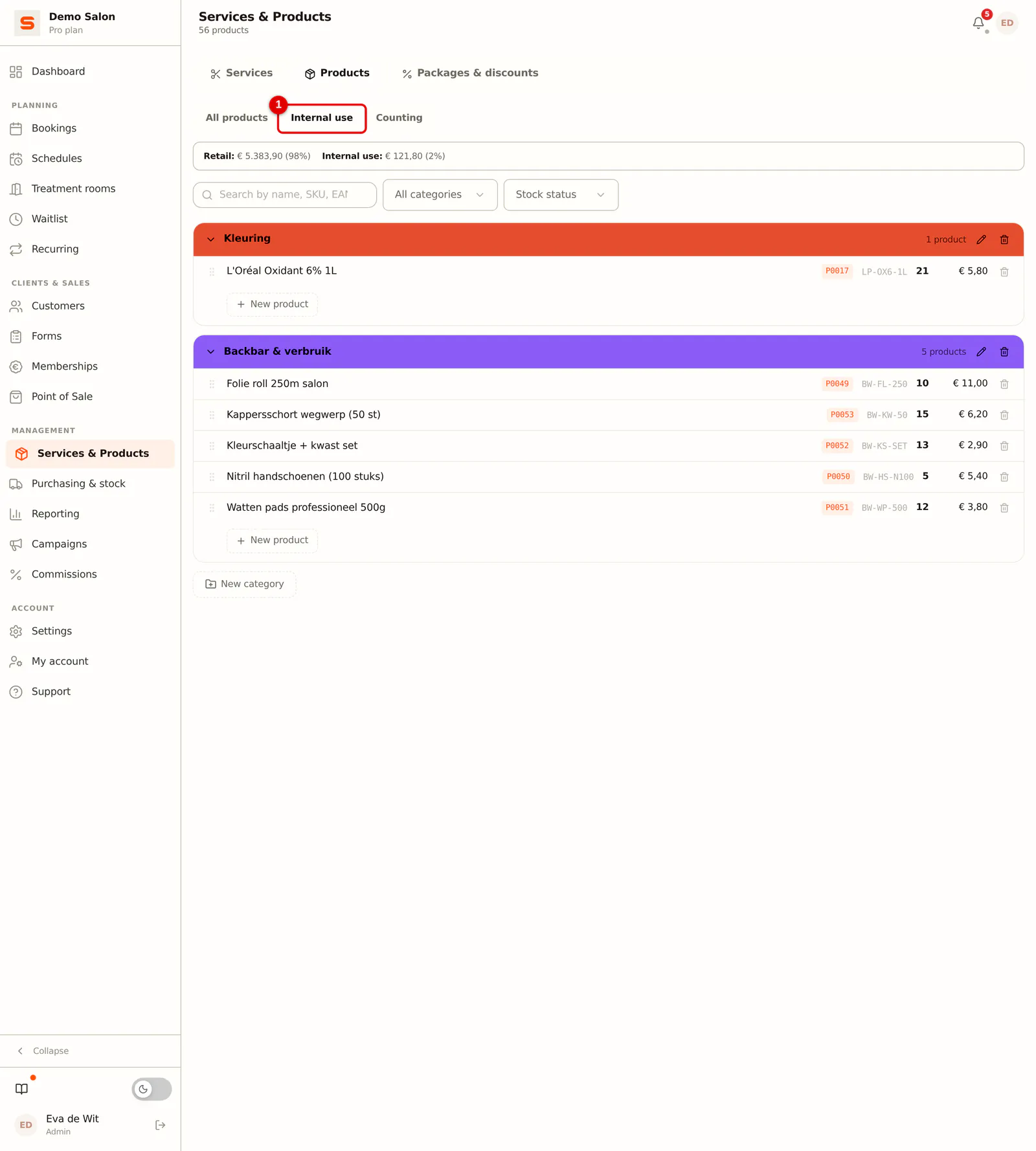 (Enlarge image)
That has three consequences:
- Refreshing brings you back to the same place, even after closing your browser, as long as you still have the address. Bookmark an address like that and tomorrow you open straight into the list you usually start with.
- You can share that place. Send a colleague the address from your address bar and they land on the same screen, with the same filters.
- The back button behaves as you expect. It takes you to the previous screen instead of sending you out of the app.
Within the same browser tab, Salonnare also remembers how far down you had scrolled.
Which form is open is part of the address too. When you're looking at an appointment or a client card, you can forward that link: your colleague opens the same detail without having to search. The back button closes such a screen instead of leaving the whole page.
What you had already filled in
If you close a new form without saving, Salonnare keeps what you had entered.
-
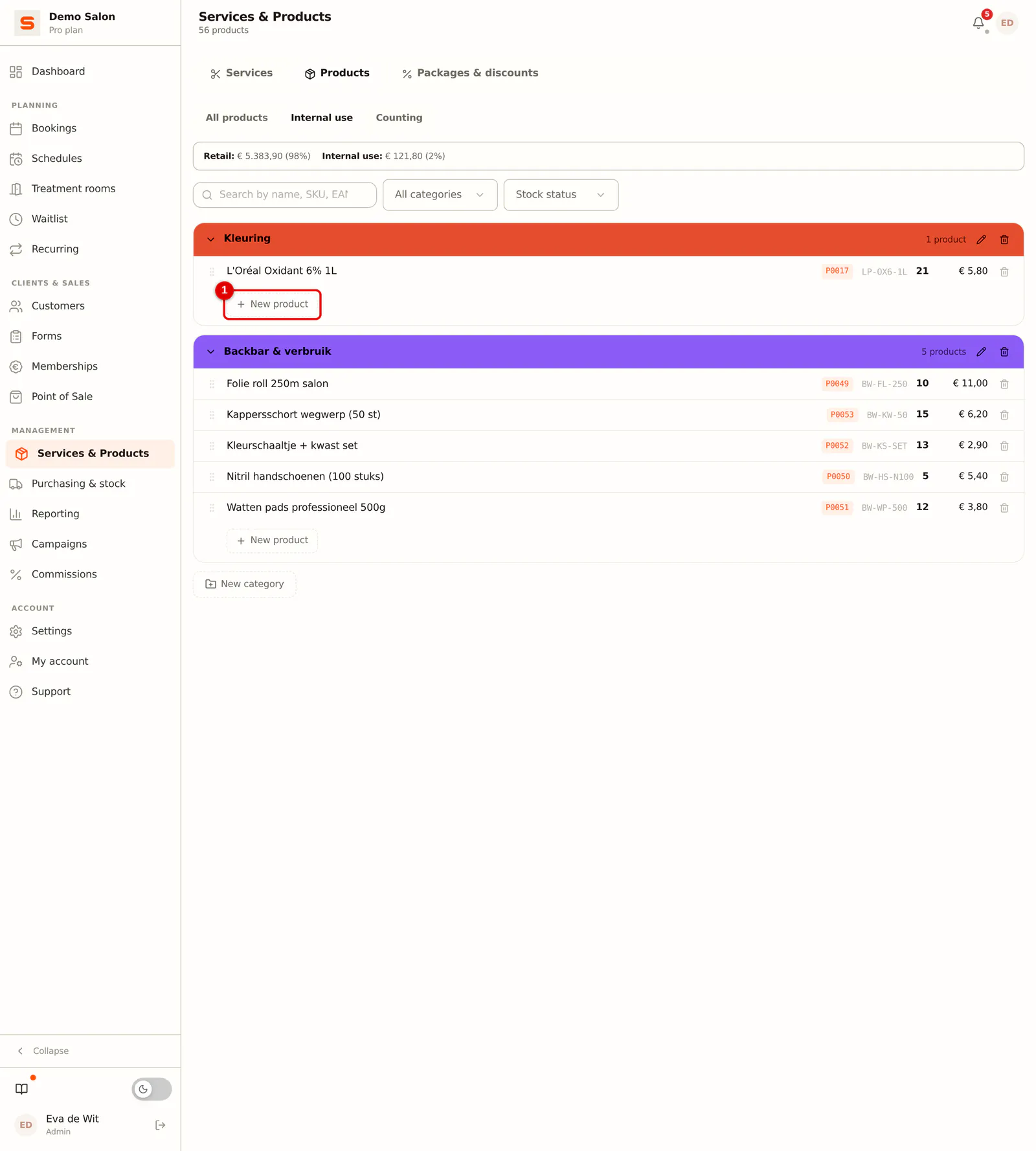
Step 1: Start a new product
For example, click New product in Services & Products.
 (Enlarge image)
 -
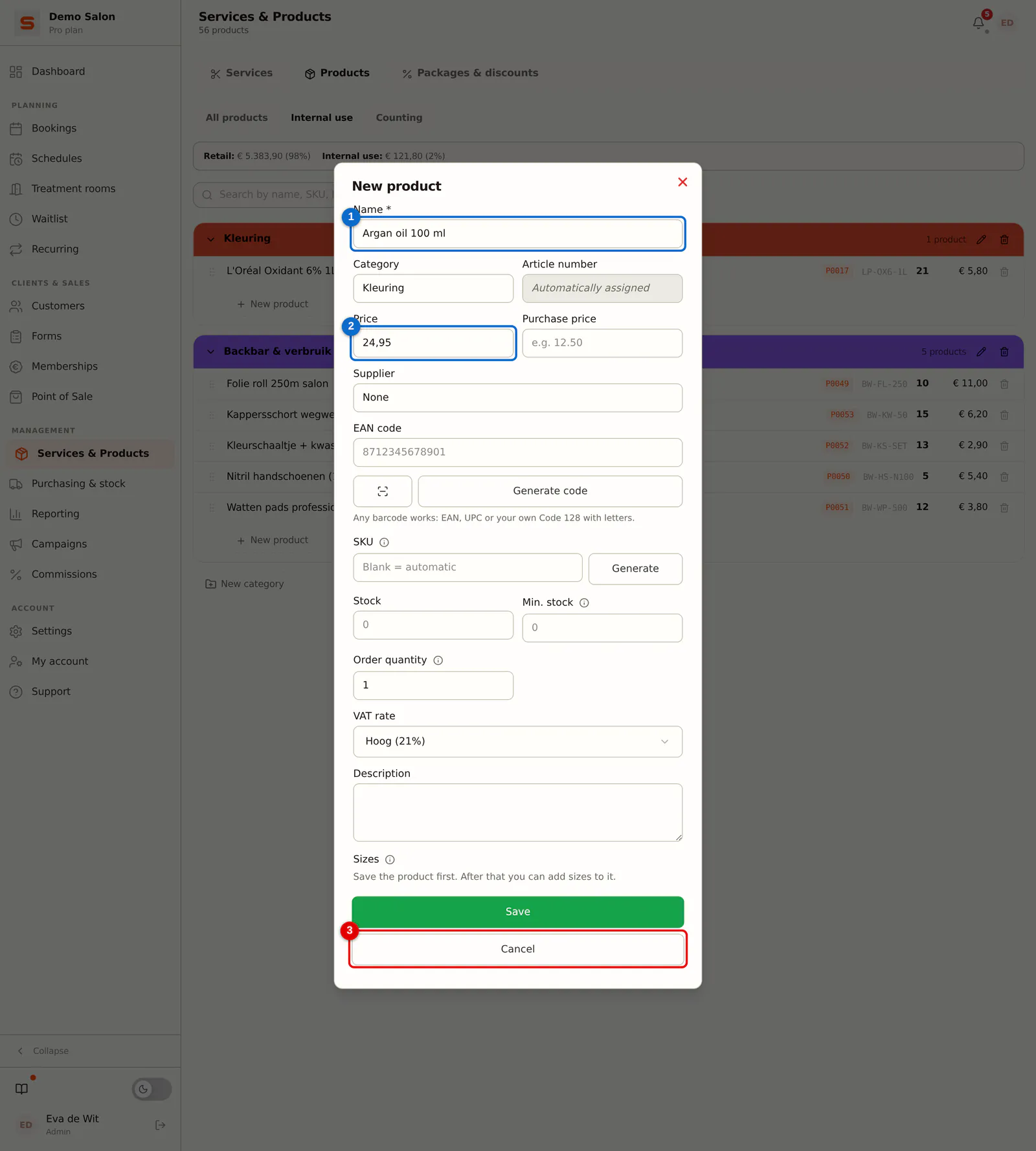
Step 2: Fill in part of it and close the form
You enter a name (1) and a price (2), and close the form without saving, for example with Cancel (3).
 (Enlarge image)
 -
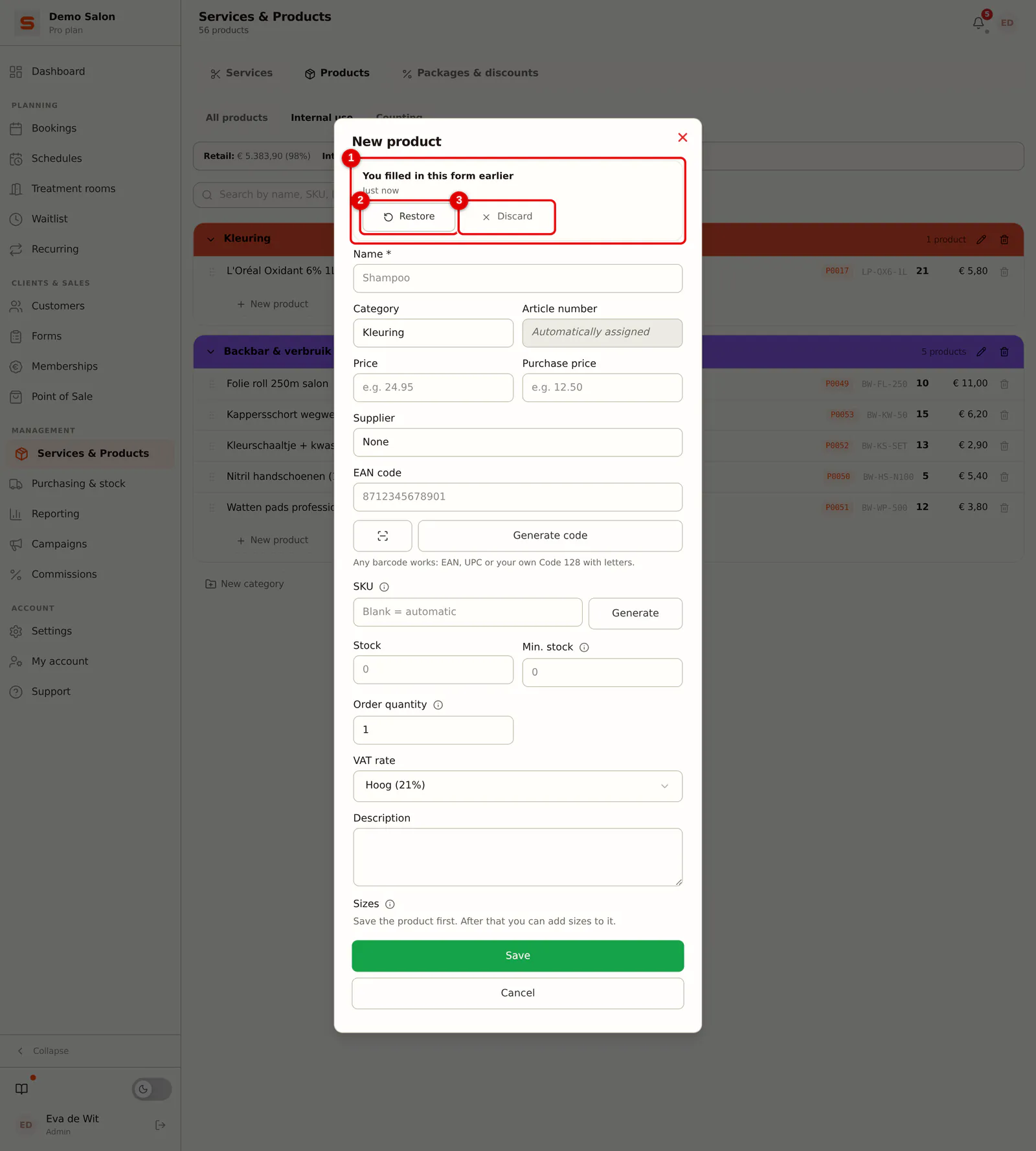
Step 3: When you come back: restore or discard
When you open the form again, the bar You filled in this form earlier appears at the top, with how long ago (1). Choose Restore (2) to continue where you were, or Discard (3) to start empty.
 (Enlarge image)
Salonnare never silently fills anything back in. Otherwise you could carry on with old data without noticing, or on a shared front-desk tablet with a colleague's data.
Good to know:
- Which forms: a new product, a new service and a new category in Services & Products.
- Only for new records. If you edit an existing product or service, nothing is saved separately.
- Per staff member and per salon. A colleague is never offered your half-finished form.
- Gone after saving. If saving works, the draft is gone. If it fails, the draft stays.
- Seven days. After that a draft disappears by itself.
- Only on this device, and gone as soon as you log out.
What if ...
... a link is no longer right? If an address was cut off in a chat message, for example, Salonnare falls back to the default view. You never get a blank screen.
... a link points to something that no longer exists? A deleted client, or an appointment you don't have permission for: then the screen simply closes. You deliberately don't get an empty form, because you could then save over something you can't see.
What is never saved
Some data deliberately stays out of drafts, however far you had filled in a form:
- Health data from the secure vault (allergies, medication, skin conditions). That is special-category personal data under the GDPR and belongs only encrypted in the vault, not in your browser.
- Payment details, such as card numbers and account numbers.
- Passwords and login details.
The client card and the appointment editor don't save a draft either: their notes fields carry a GDPR warning, because health data can end up there.