Loyalty programme
Salonnare's loyalty programme works like a digital stamp card. Clients automatically earn points when they check out with you. Once they have enough points for a full card, they can redeem that card at the POS for a fixed discount amount. It's a simple, familiar way to reward returning clients -- without cards, stamps, or a separate app.
How the full-card model works
The programme revolves around three numbers you set yourself:
- Points per euro -- How many points a client earns per euro spent at the POS.
- Points per full card -- How many points together make up a full card.
- Full card value -- The amount in euros a full card is worth in discount when redeemed.
Clients only ever redeem whole cards, never individual points. If a client has enough points for multiple full cards, they can redeem them all at once. Points that aren't yet enough for a full card simply stay on the balance until the card is full.
Let's run through an example. Set Points per euro to 1, Points per full card to 500, and Full card value to 10 euros, and a client earns 1 point per euro. After spending 500 euros, the card is full and delivers 10 euros in discount -- roughly 2% back for your most loyal clients.
Enabling the loyalty programme
- Go to Settings.
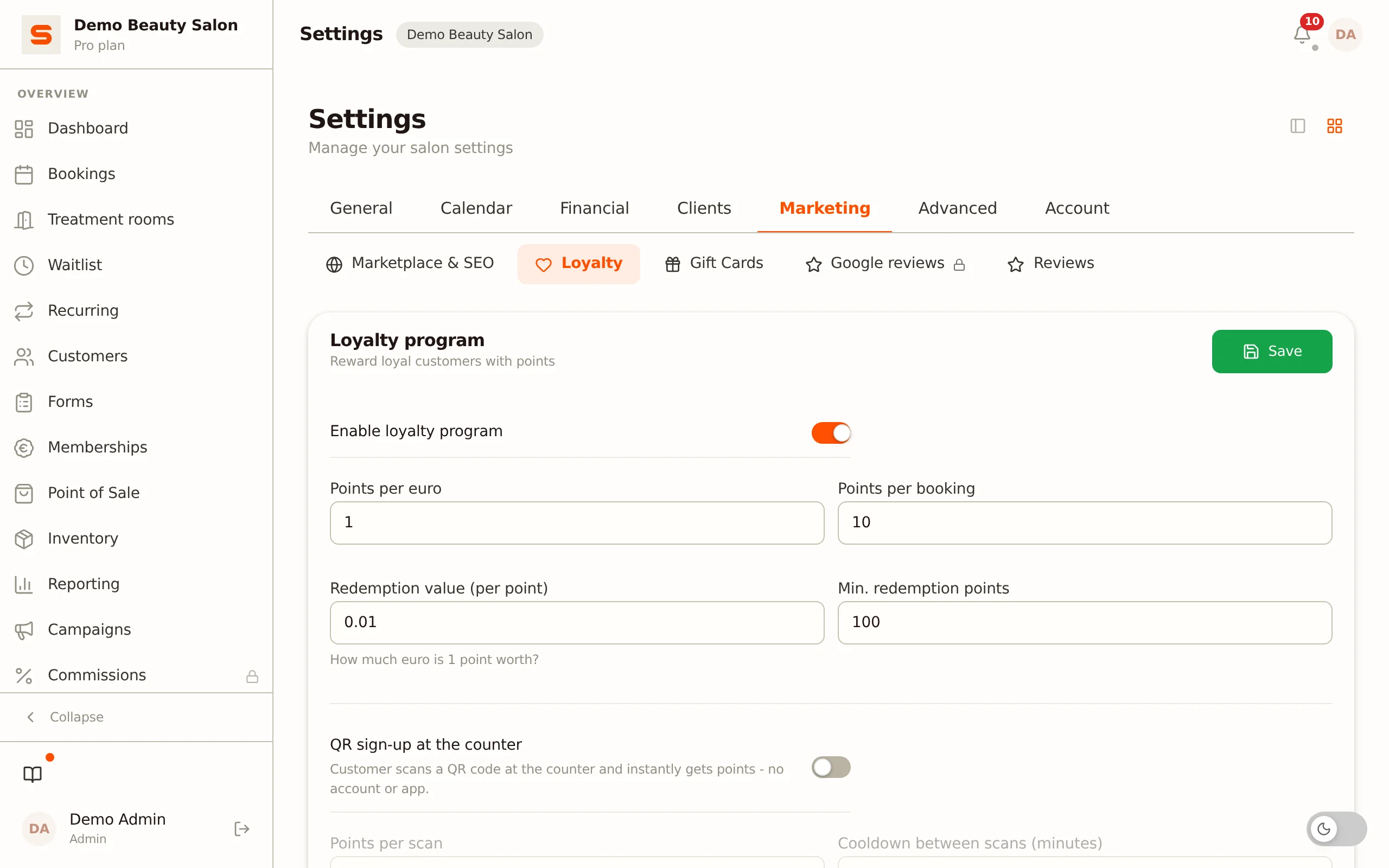
- In the Clients group, open the Loyalty & segments section. The Loyalty program block is at the top.
- Turn on Enable loyalty program.
That activates the programme. The fields below determine how quickly clients earn points and what a full card is worth.
The loyalty programme is included in the Starter and Pro plans, not in Free. If you don't see the block or it's locked, check your plan under Subscription & billing.
Setting up your stamp card
In the same block under Settings > Loyalty & segments, you fill in the three core numbers:
| Setting | What it does |
|---|---|
| Points per euro | Points the client earns per euro spent. |
| Points per full card | Number of points that fills a full card. |
| Full card value (€) | Euro discount when redeeming a full card at the POS. |
Click Save at the top right of the block to store your settings.
Keep it round and easy to explain: for example 1 point per euro, 500 points per card, and 10 euros per card. That way your team immediately understands the programme, and clients understand their points balance.
How clients earn points
Points are awarded automatically. When a client checks out via the POS, they earn points based on the amount spent and your Points per euro setting. You don't need to track anything manually -- the balance grows automatically with every checkout.
A client's points balance shows on the client card and at the POS as soon as you select the client.
Adjusting a client's points balance
Sometimes a balance is wrong: a client lost points because of an outage, you want to make up for a complaint, or a receipt was checked out incorrectly. You correct the balance straight from the client card.
- Open Customers and click the client.
- In the statistics row, click the Loyalty points card. That card shows the current balance and opens the correction block right below it.
- Under New balance, enter how many points the client should have. You immediately see the resulting change, for example +150.
- Enter a reason. It is required and will appear in the client's points history.
- Click Update balance.
So you enter the end result, not a credit or debit. Salonnare works out the difference itself and records it as a separate line in the points history. The balance is never simply overwritten, so it always stays traceable where a client's points came from.
Write the reason the way you want to read it back six months from now. "Goodwill after colour treatment complaint" says more than "correction".
Who may adjust loyalty points?
Points are worth money -- a full card is a fixed discount amount at the POS. That is why this is a separate permission, apart from the ordinary permission to edit client details.
- Administrators may always do it.
- Staff members only when you switch the permission on for them: go to Settings > Staff, click the pencil next to the staff member and turn on Adjust loyalty points.
Only an administrator can push a balance below zero, and only after an extra confirmation. For staff members zero is the floor -- the same floor the POS applies when redeeming a full card.
Every correction is also recorded in the audit log, including who made it and when.
Redeeming a full card at the POS
Full cards are redeemed at the POS, not on the online booking page.
- Open the POS and select the client.
- Add the services or products to the order.
- If the client has at least one full card, the Redeem full card button appears, showing the number of available cards and the value per card.
- Under Number of full cards, enter how many full cards the client wants to redeem (1 up to the number available). You immediately see the matching discount amount: number of cards x the card value.
- Confirm with Redeem -- the discount appears as a discount line on the order.
Points for the redeemed cards are only deducted after the payment has been processed successfully. If you cancel the order, the client's full points balance remains untouched.
You can only redeem whole cards. If a client is close but doesn't quite have enough points for a full card yet, the redeem button doesn't appear yet. Make sure your staff know that redemption happens at the POS.
QR sign-up at the counter
With QR sign-up, clients enrol themselves and immediately start earning points by scanning a QR code -- no account or app required.
- Go to Settings > Loyalty & segments and, in the Loyalty program block, turn on QR sign-up at the counter.
- Set Points per scan: the welcome bonus a client gets when signing up.
- Optionally fill in a Redirect URL after sign-up (for example your Instagram or website). The client then sees a button to that page after signing up. Leave it empty for no button.
- Click Generate QR code.
- You can download the QR code to print it with Download QR, or copy the link with Copy link.
The client scans the code, enters their phone number (and optionally their name), and instantly receives the configured points. If no client exists with that number yet, one is created automatically.
A client gets the welcome bonus once. If they scan the code again later, they are told they are already signed up and no points are added. Points for later visits are earned at the checkout as usual.
Print the QR code and place it at the counter. Use Refresh QR to generate a new code -- note that previously printed QR codes then become invalid.
Points for a review
After an appointment, Salonnare emails the client a review link. You can reward opening that link with loyalty points.
- Go to Settings > Loyalty & segments and, in the Loyalty program block, switch on Points for a review.
- Fill in Points per review.
What the client sees depends on your Google review link:
- If you have set a Google review link (under Settings > Google reviews; with a connected Google Business Profile it is filled in automatically), Salonnare asks nothing further. The client sees a short confirmation and is sent on to Google automatically after three seconds. There is also a Go to Google now button for anyone who does not want to wait.
- If you have not set that link, your own review form stays in place and the client receives the points as soon as they submit their review.
With the direct redirect the points cover opening the link, not a posted review. Google does not tell us whether a particular client actually writes something afterwards, so that is not measurable. What you buy is reach -- more people land on your Google review form -- not guaranteed reviews. Pick a modest number of points.
The points always go to the client of that appointment and are credited at most once per client. On Google you can only leave one review per business, so a regular client gets the points for their first review and never again -- not through a later appointment either. If someone forwards the link or opens it again, nothing is added.
Tiers and segments
The loyalty programme (points and full cards) is separate from loyalty tiers (levels such as bronze, silver, and gold based on total spend) and automatic client segments. You configure those under Settings > Loyalty & segments. See Loyalty tiers and client segments for details.
Tips for a successful loyalty programme
- Tell your clients about it. Put a small sign at the POS or mention it when they pay. Many salons forget to promote their own loyalty programme.
- Make the full card achievable. If a client has to spend too much to fill a card, the programme doesn't feel motivating. Choose a threshold that matches your average spend.
- Keep it simple. A round card value and a clear earning rate are easy to explain to your team and your clients.