

Happy with Salonnare? Share your personal referral link with other salon owners. As soon as a salon that signs up via your link pays its first invoice, you both get a free month.
The referral program is included in every plan, including Free. Only admins can use it.
Creating your referral link
-
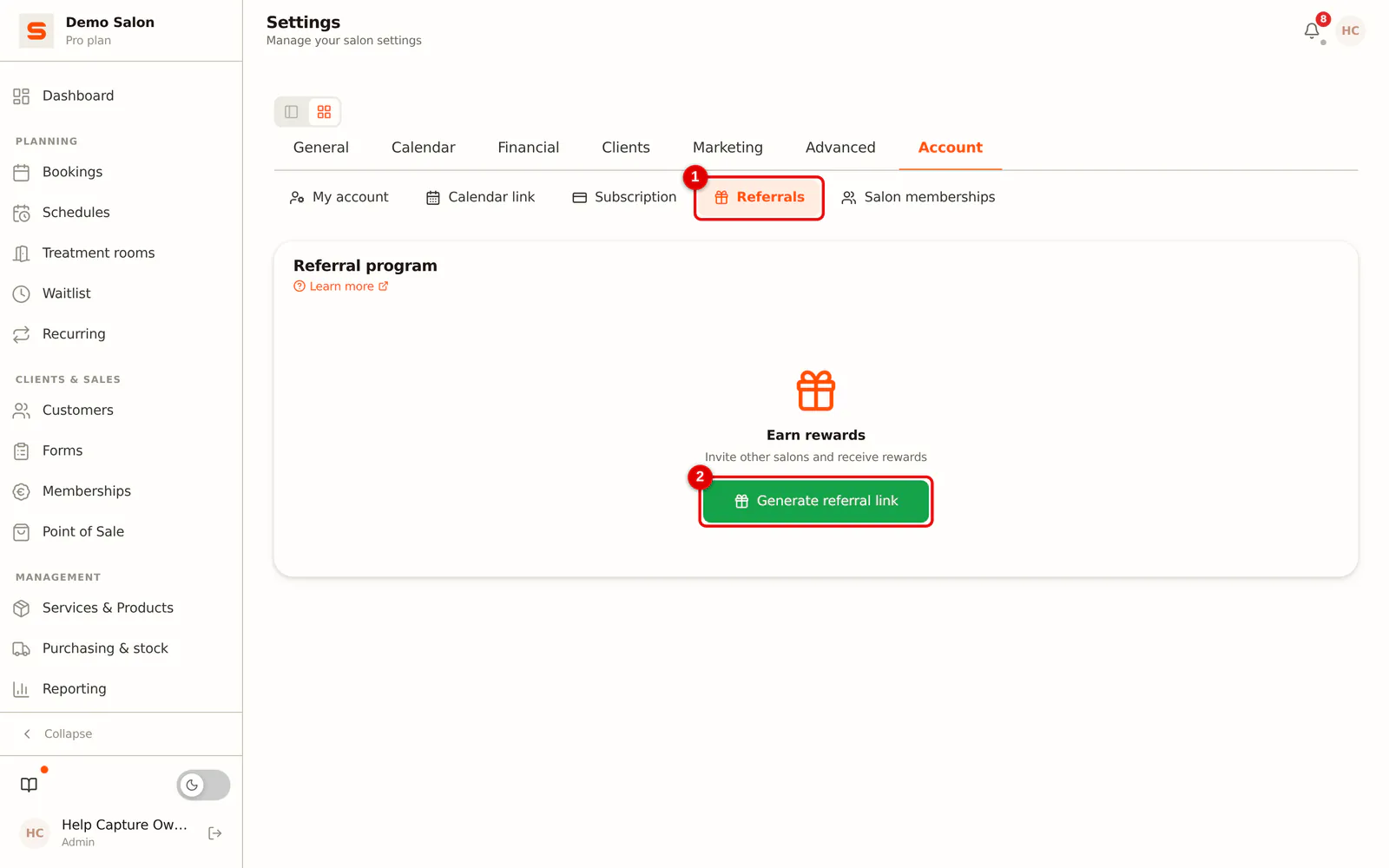
Step 1: Click Generate referral link
Go to Settings, choose the Account group and then Referrals. The first time, click Generate referral link.
 (Enlarge image)
Sharing and tracking your referral link
-
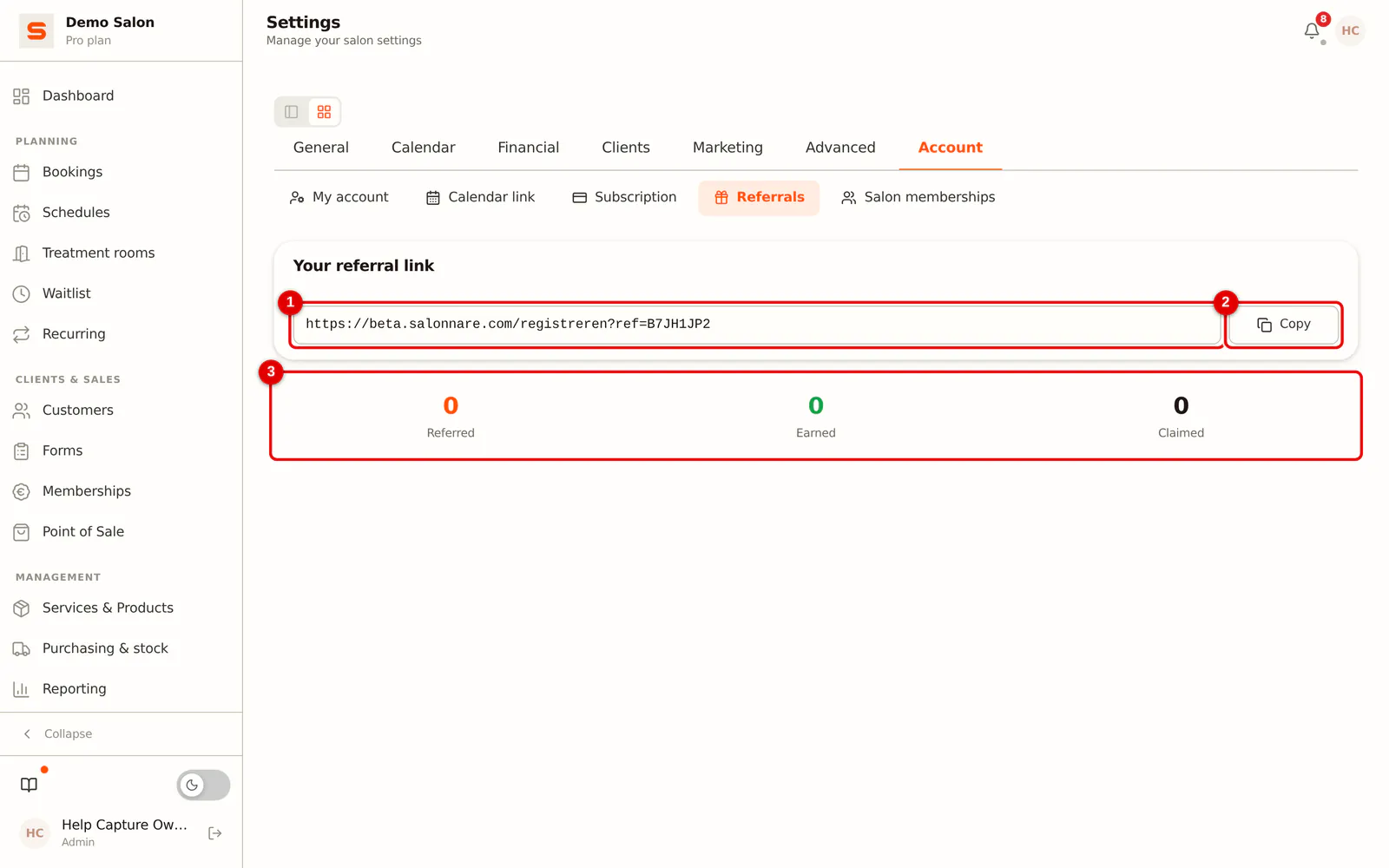
Step 1: Copy the link
Under Your referral link you find your personal link. Click Copy and send it however you like: WhatsApp, email, Instagram or a text message.
Below it are three counters: Referred (salons that signed up via your link), Earned (rewards granted) and Claimed (rewards already applied as a discount).
 (Enlarge image)
As soon as a salon has signed up via your link, History shows per salon the name, the sign-up date and the reward: Claimed or Pending. Pending means that the salon has not paid yet, or that the reward has not been applied as a discount yet.
A personal message works better than a bare link: "I use this for my salon and I'm really happy with it, give it a try!"
How the reward works
- A salon owner signs up via your link, for free or straight away with a paid plan.
- As soon as that salon pays its first invoice, you both get one free month.
- The reward is applied as a discount on the next invoice. For the new salon this means: it pays the first month, the second is free.
If you are on the free plan yourself, your reward stays ready until you switch to a paid plan. There is no maximum to the number of salons you can refer.
Frequently asked questions
Does a sign-up without payment already count? The salon counts towards Referred, but the reward only arises once it pays its first invoice.
Can a staff member share the link too? Only admins see the link. Forward it yourself to whoever wants to share it.