Backup and data copy
A common question: "Do I need to make backups myself?" The short answer: no. Salonnare automatically backs up all salon data at platform level. On top of that, you can download a full copy of your own administration at any time.
Automatic backups (by Salonnare)
You don't need to press a backup button. Salonnare runs your salon on secure infrastructure where the data is backed up centrally and automatically. This happens behind the scenes at platform level -- there is nothing for you to set up or maintain.
Making and restoring a full backup yourself
Want to keep a full backup yourself as well? You can do that in Settings > Advanced > Import, in the Backup & restore block at the bottom:
- Create backup -- download a ZIP file with all your salon's data plus the files you uploaded (such as your logo and photos).
- Restore full backup -- choose a ZIP file you made earlier to put your salon back to that state.
Restoring a full backup overwrites all current data of your salon. This cannot be undone. Salonnare asks for confirmation first; to be safe, create a new backup of the current state right before.
Both buttons only work for an admin.
Downloading a copy of your data (data export)
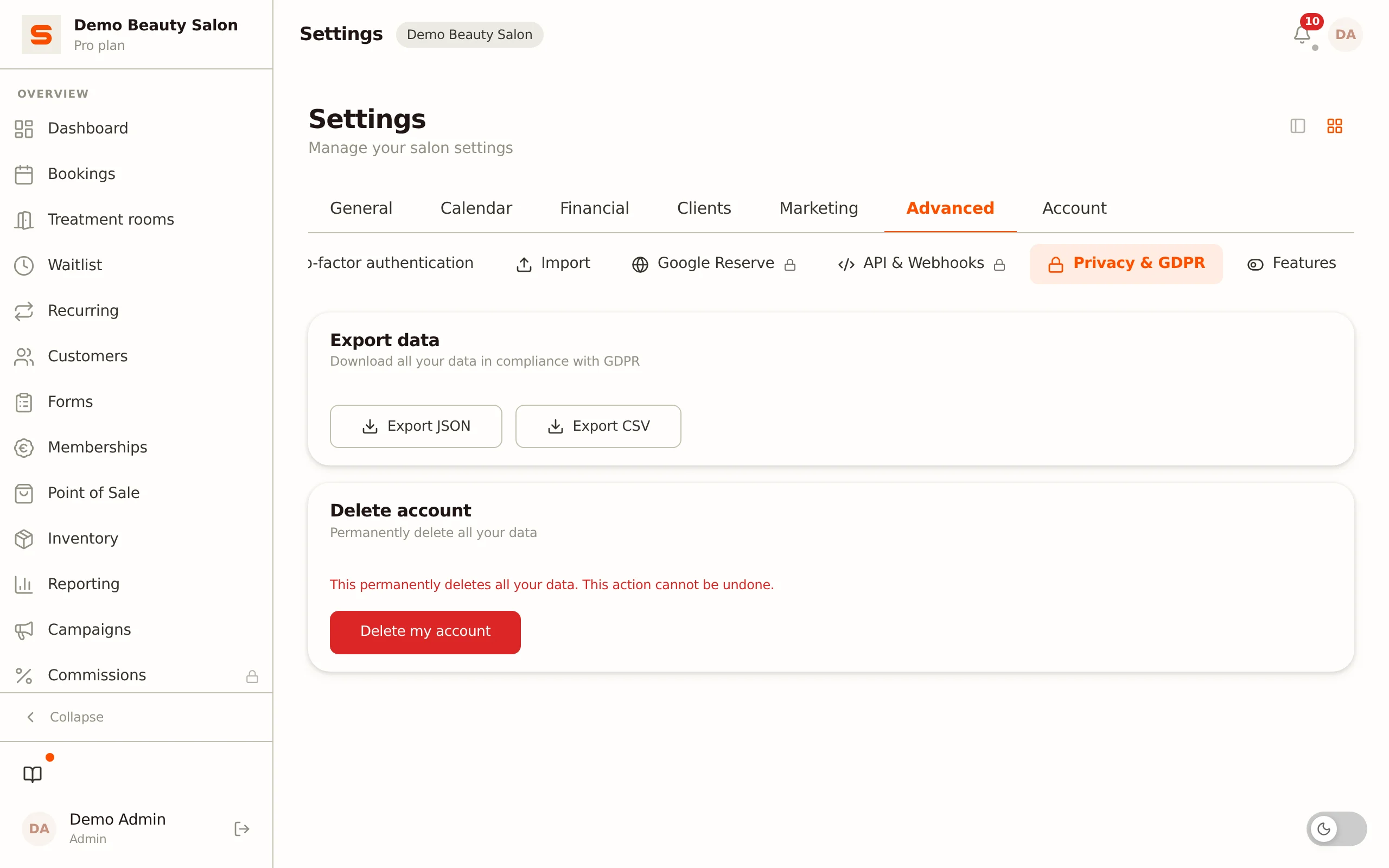
Need a readable copy -- for your records, when switching, or for a GDPR request? Use the data export:
- Go to Settings.
- Open the Privacy & GDPR section.
- Click Export JSON for a complete copy of your records, or Export CSV for a flat client list.
Only an admin can export. Every download of the JSON export is recorded in the Audit Log, so it stays traceable who downloaded a copy and when.
What is in the export?
- JSON export -- a complete copy of your salon records: clients, appointments, staff, products, invoices, receipts, settings and more.
- CSV export -- a simplified, flat client list that opens straight in a spreadsheet.
These exports are for keeping or passing on; you cannot upload them back. If you want to be able to restore later, use Create backup (see above). Want to (re)enter individual data, such as a client list? Use the CSV import.
In short
- Backups: handled automatically by Salonnare at platform level -- nothing for you to do.
- Your own full backup: Settings > Advanced > Import, Backup & restore block -- create it as a ZIP and, if needed, restore it in full.
- Readable copy: JSON export or CSV client list via Settings > Privacy & GDPR.
- Loading individual data: via the CSV import.
Need help with a restore? Get in touch via the support page. Read more about export and deletion requests in Privacy and GDPR.