Getting help & support
Stuck somewhere? Can't figure out a feature? Something not working as expected? We're here to help. The fastest way to get personal help is through a support ticket, right from within Salonnare.
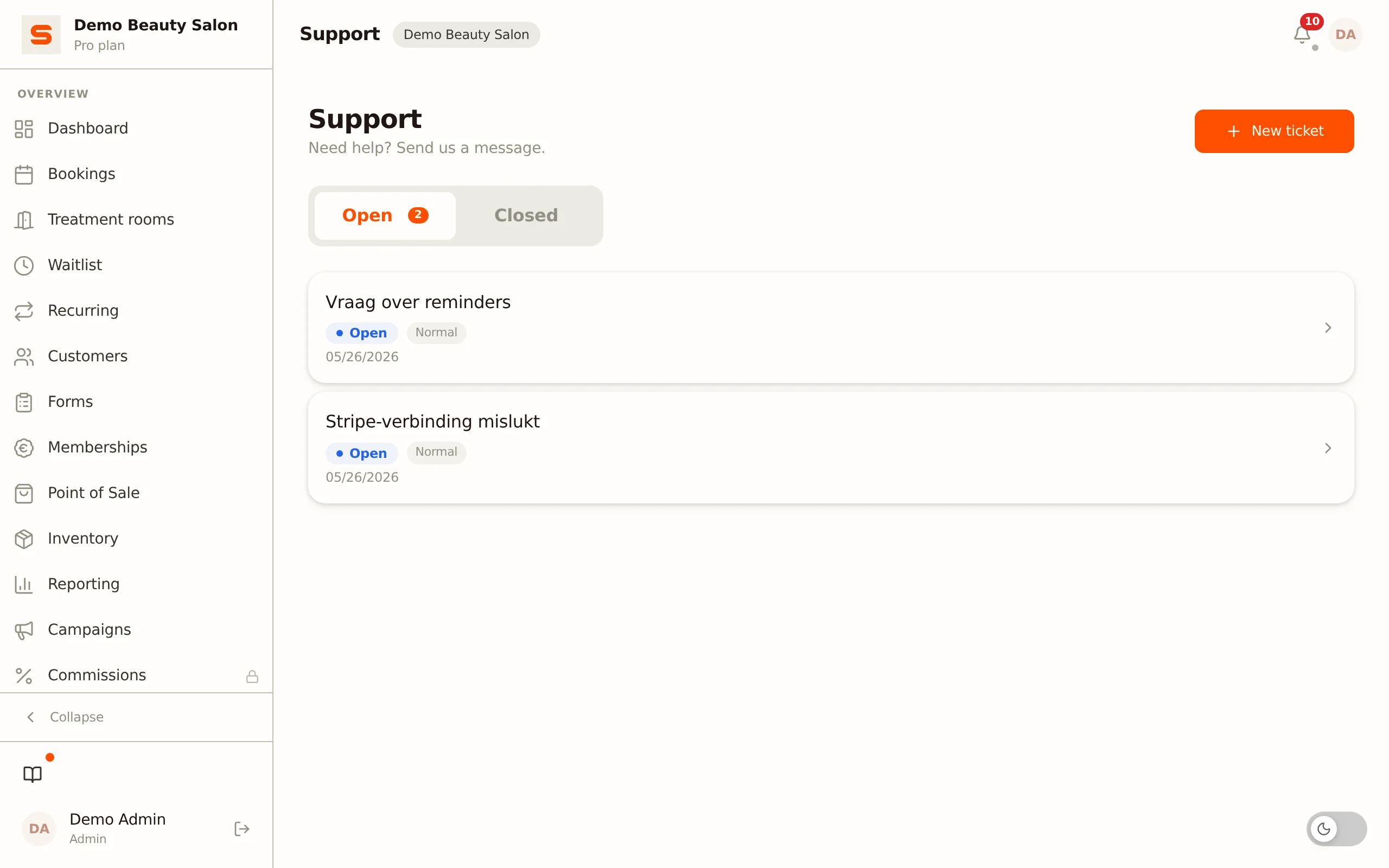
Where to find support
In the sidebar, under Account, click Support. Here you'll see all your tickets, split across two tabs:
- Open -- tickets that are still being worked on.
- Closed -- resolved and closed tickets.
Creating a support ticket
- Go to Account > Support.
- Click New ticket.
- Fill in the form:
- Subject -- A short description of what you need help with.
- Priority -- Choose Low, Normal, High, or Urgent.
- Message -- Explain what's happening, in as much detail as possible. The more you tell us, the faster we can help.
- Click Save to create the ticket.
The ticket opens immediately as a conversation view, so you can follow the thread and reply.
A good support ticket includes: what you were trying to do, what happened instead, and any error messages you saw.
Replying to a ticket
A ticket works like a chat conversation between you and the support team.
- Open the ticket from the Open tab.
- Type your reply in the text box at the bottom.
- Click the send button or press Ctrl+Enter to send.
When support replies, the message appears in the conversation right away.
Attaching an image
Click the paperclip icon next to the text box to add an image to your reply.
Attachments can be images only (JPEG, PNG, GIF, or WEBP) of up to 5MB. Your salon can send a maximum of 10 attachments per day. Attachments are added to a reply, not when creating the ticket.
Tracking your tickets
Each ticket shows a status:
- Open -- We've received your ticket and are working on it.
- Awaiting reply -- We've responded and are waiting for your answer.
- In progress -- We're working on your question.
- Resolved / Closed -- The matter has been handled; the ticket moves to the Closed tab.
Once a ticket is closed, you can no longer reply to it. If you still have a question after that, create a new ticket.
Help without contacting support
Before creating a ticket, you might find your answer here in the help centre. Browse the articles or use the search bar to look for what you need.
There's also built-in help throughout Salonnare. Look for the small ? icons next to settings and form fields. Hover over them (or tap on mobile) for a quick explanation without leaving the page.
Feature requests
Have an idea for something Salonnare should be able to do? We'd love to hear from salon owners! Create a support ticket and describe what you have in mind in the message. Every suggestion is read and considered for future updates.
The best feature requests explain the problem you're trying to solve, not just the solution you have in mind. This helps us find the best way to make it happen.
Sending feedback (beta and early access)
If you registered during the beta or you're an early-access member, you have the Send feedback button with a bug icon alongside tickets: in the sidebar next to "What's new?", in the menu behind your initials at the top right, and on mobile under More. You can also open the panel with Ctrl+Shift+F (Cmd+Shift+F on a Mac) or by shaking your phone. Pick a Category (Bug, Copy or Idea), describe what you ran into under Comment, choose the Severity and click Send. Along with your report we send a recording of what happened on your screen just before, so we can look into the problem; passwords are always masked in it. If you'd like a reply, create a support ticket.