

A gift card can show an amount (for example € 50.00), or a treatment (for example "Luxury pedicure 60 min"). A treatment gift card promises the client exactly that treatment: when redeemed, it covers the line of that service in one go, even if the price has changed in the meantime.
Selling at the POS
-
Step 1: Choose "A treatment"
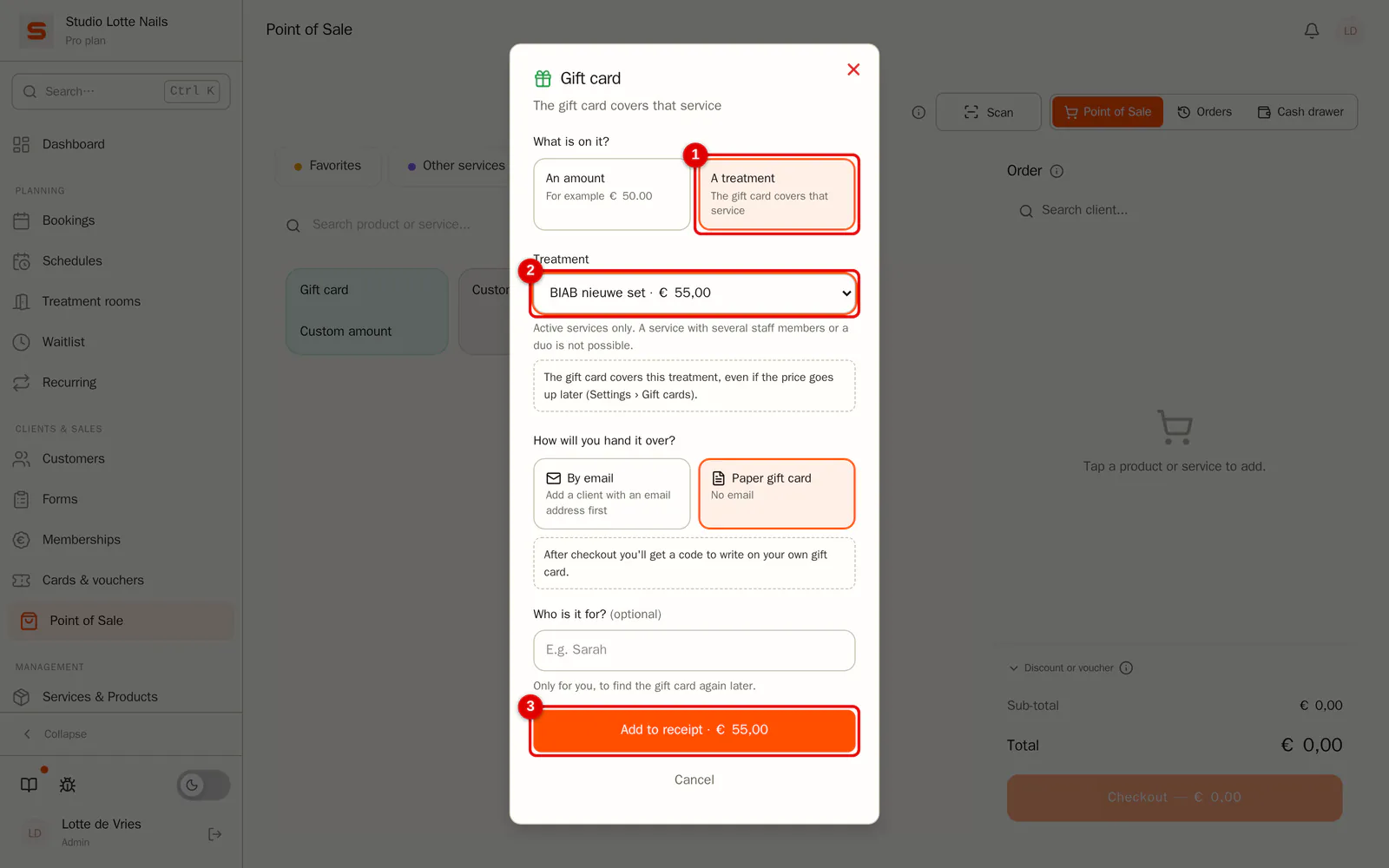
At the POS, click Gift card. Under What is on it? choose A treatment and pick the service. The price comes from the service. Choose whether you hand the gift card over by email or on paper, and click Add to receipt.
 (Enlarge image)
A treatment with several staff members or a duo cannot go on a gift card. A treatment gift card also cannot go on a receipt with a discount, a promotion or loyalty points: check it out separately instead.
A gift card you sold outside the POS or give away, you create via Cards & vouchers › Gift cards › New gift card, with the same choice A treatment. If it was sold outside the POS, enter it on the day of sale.
In the overview
-
Step 1: See what is on the gift card
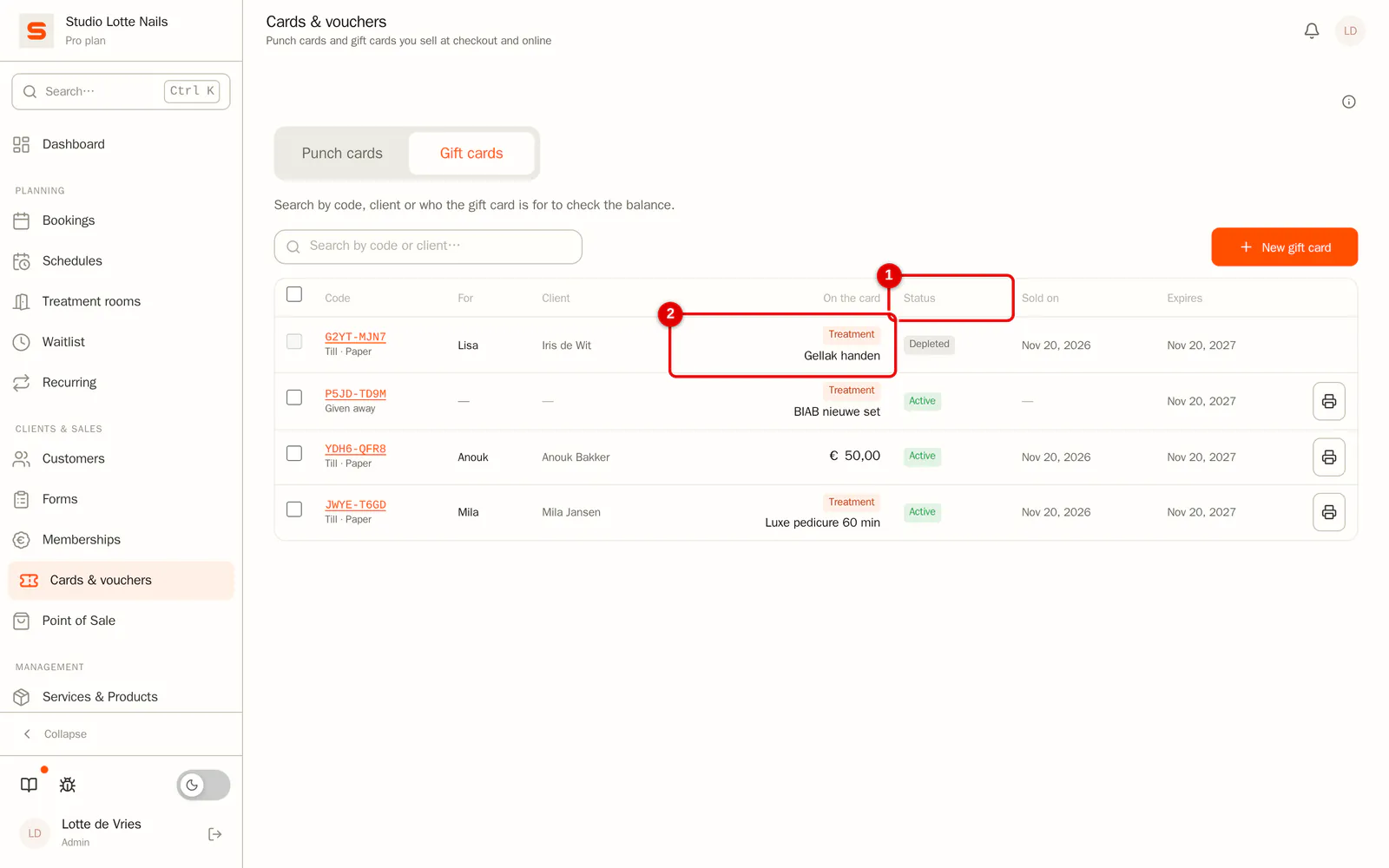
In Cards & vouchers › Gift cards, the On the card column shows the balance, or the treatment with the label Treatment. You can also search by the name of the treatment.
 (Enlarge image)
Redeeming
Add the treatment to the receipt (or check out the appointment) and enter the gift card code. The gift card covers the line of that treatment. Anything extra the client adds, such as nail art, she pays herself. A treatment gift card is then used up: no balance remains.
- Another staff member or another duration on the appointment: the gift card simply covers the service.
- A different service (for example the 75-minute version): the POS tells you which treatment the gift card is for. Open the gift card in Cards & vouchers to choose another treatment or convert it to an amount.
- Online booking: if redeeming gift cards when booking online is switched on, the client enters the code when booking exactly that treatment. A deposit then lapses for that part.
When the price changes
-
Step 1: Choose what happens on a price increase
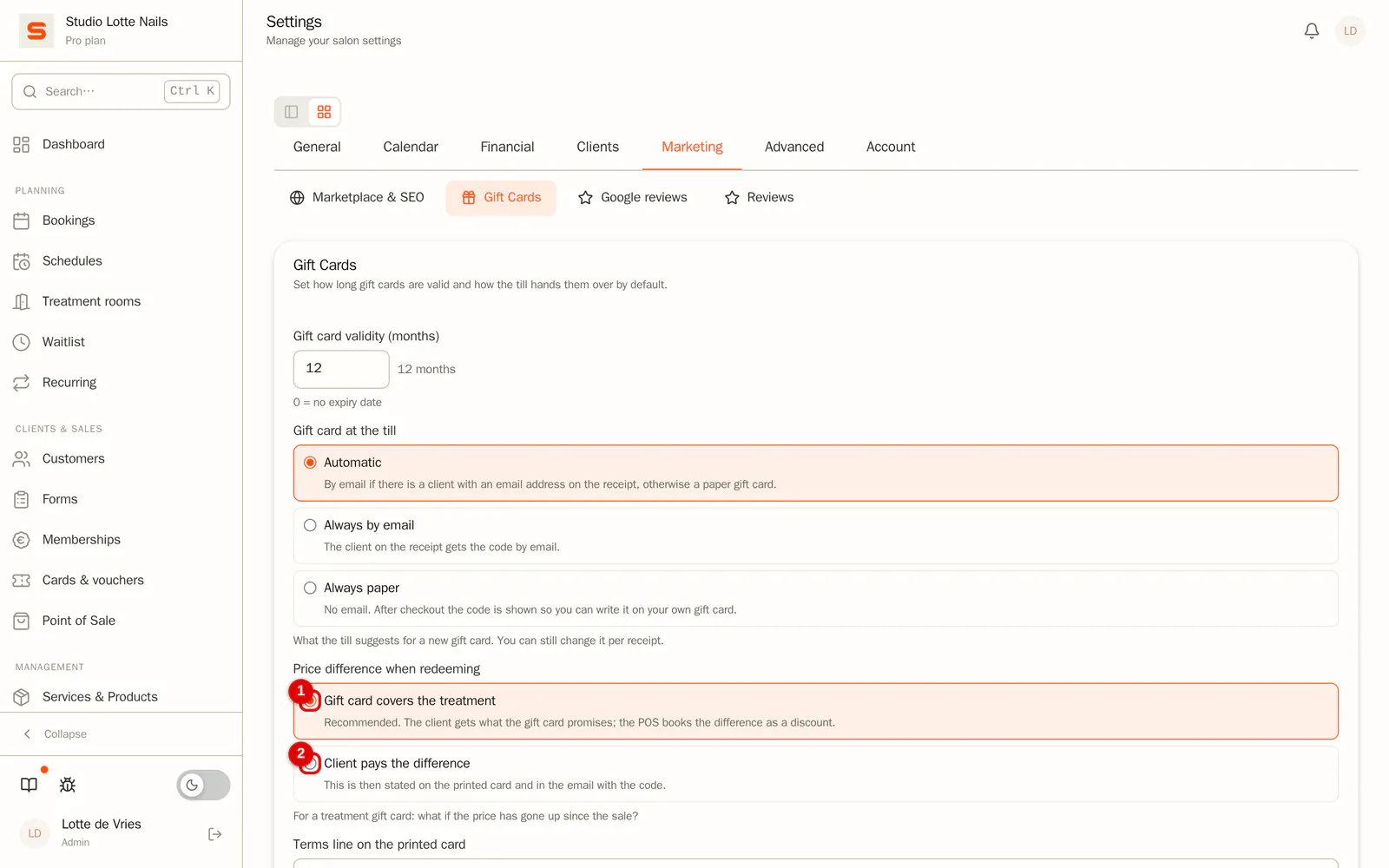
Go to Settings › Gift cards and under Price difference when redeeming choose:
- Gift card covers the treatment (recommended): the client gets what the gift card promises. The POS books the difference as a discount on the receipt.
- Client pays the difference: the gift card covers the price at the sale. This is then also stated on the printed card and in the email with the code.
 (Enlarge image)
If the price has gone down, the gift card covers the lower price. Nothing remains.
Printing
-
Step 1: Print the card
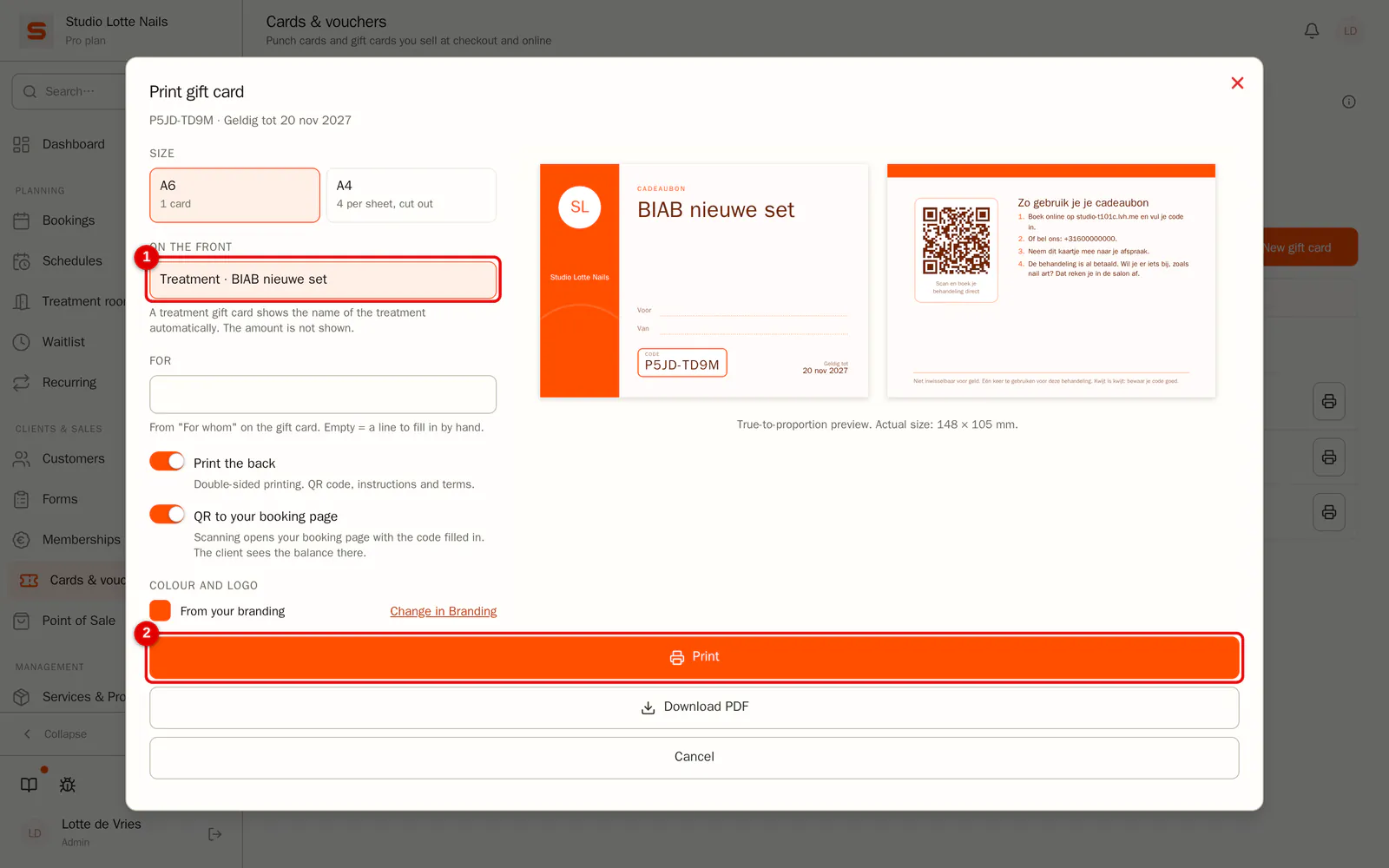
Click the printer button next to the gift card. The front shows the treatment large, without an amount. The back says the treatment has already been paid for and that the client settles extras at the salon.
 (Enlarge image)
Read more about the card in Print a gift card.
What happens with the VAT?
A gift card for one treatment at your salon is a single-purpose voucher. At the sale the service and the VAT rate are already known, so the VAT is due at the sale, at the rate of that treatment. Redeeming it afterwards no longer counts as revenue or VAT.
- In reporting, the VAT overview and the accounting export, the sale appears as revenue on the day of sale.
- A gift card with an amount works as always: VAT when it is redeemed.
- Have your accountant confirm this for your bookkeeping.