Appointment stays on Scheduled
The client came and paid, and yet the appointment is still on Scheduled. This happens when you rang up the treatment separately in the till instead of checking out the appointment: Salonnare then doesn't know that the receipt belongs to that appointment. The appointment then counts as unpaid work and stays under To handle in the notification centre.
What Salonnare does itself
Every hour, Salonnare looks at past appointments that are still on Scheduled and searches for a paid receipt from the same client on the same day. If it is clear, Salonnare links the receipt and sets the appointment to Completed. Clear means: exactly one such receipt, exactly one open appointment for that client that day, no outstanding deposit, at least one treatment on the receipt, and a receipt amount of at least 60 percent of the appointment price.
If it isn't clear, Salonnare links nothing and you get the Check receipt for appointment card. Then you choose.
You usually don't have to wait for that: right after a receipt is paid, Salonnare already checks with the same rules whether an open appointment of that client today belongs to it. Only an appointment that has already started is linked straight away. If you chose No, separate sale in the till, Salonnare never links that receipt by itself, not later either.
Picking the right receipt
-
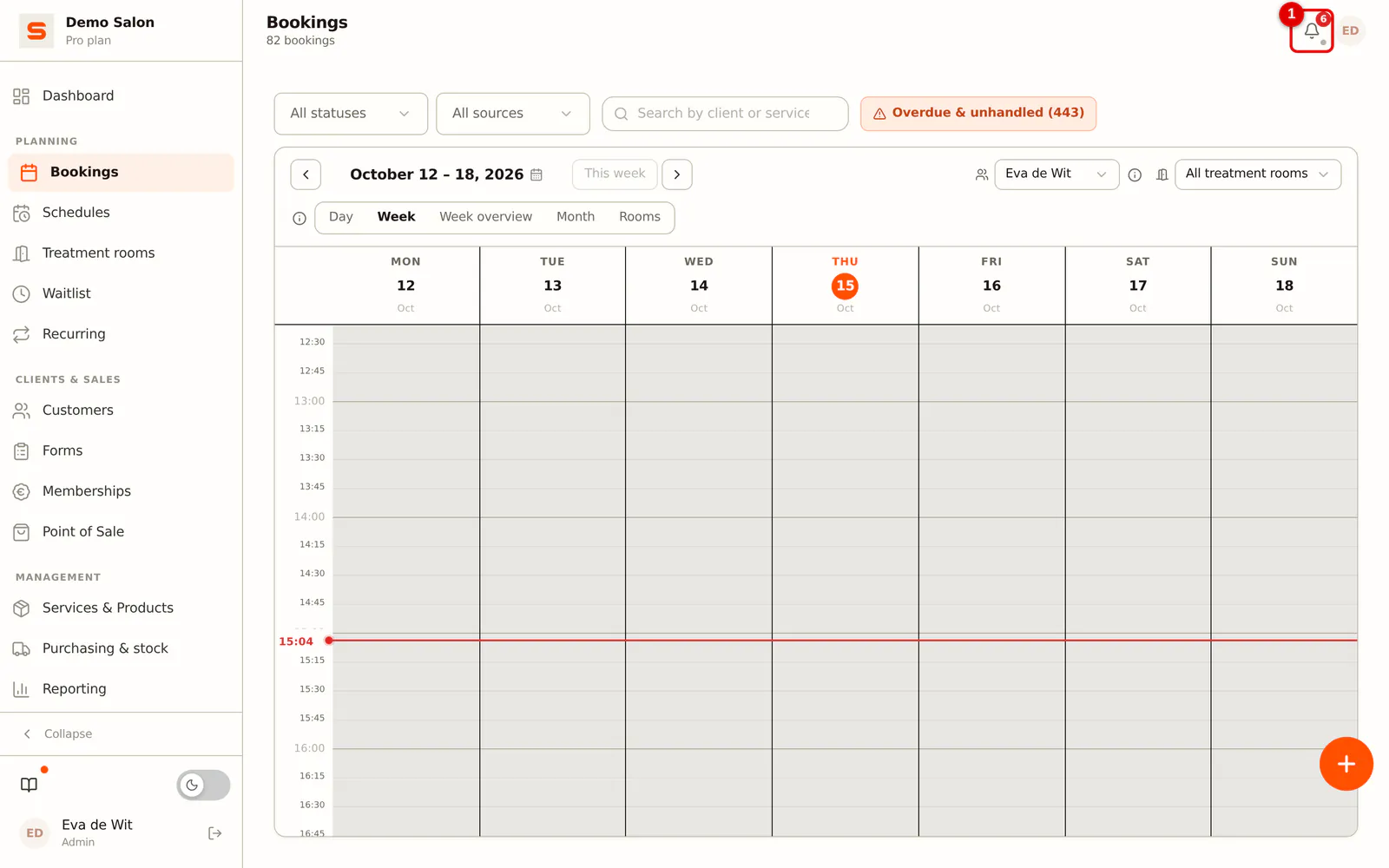
Step 1: Open the notification centre
Click the bell at the top right.
 (Enlarge image)
 -
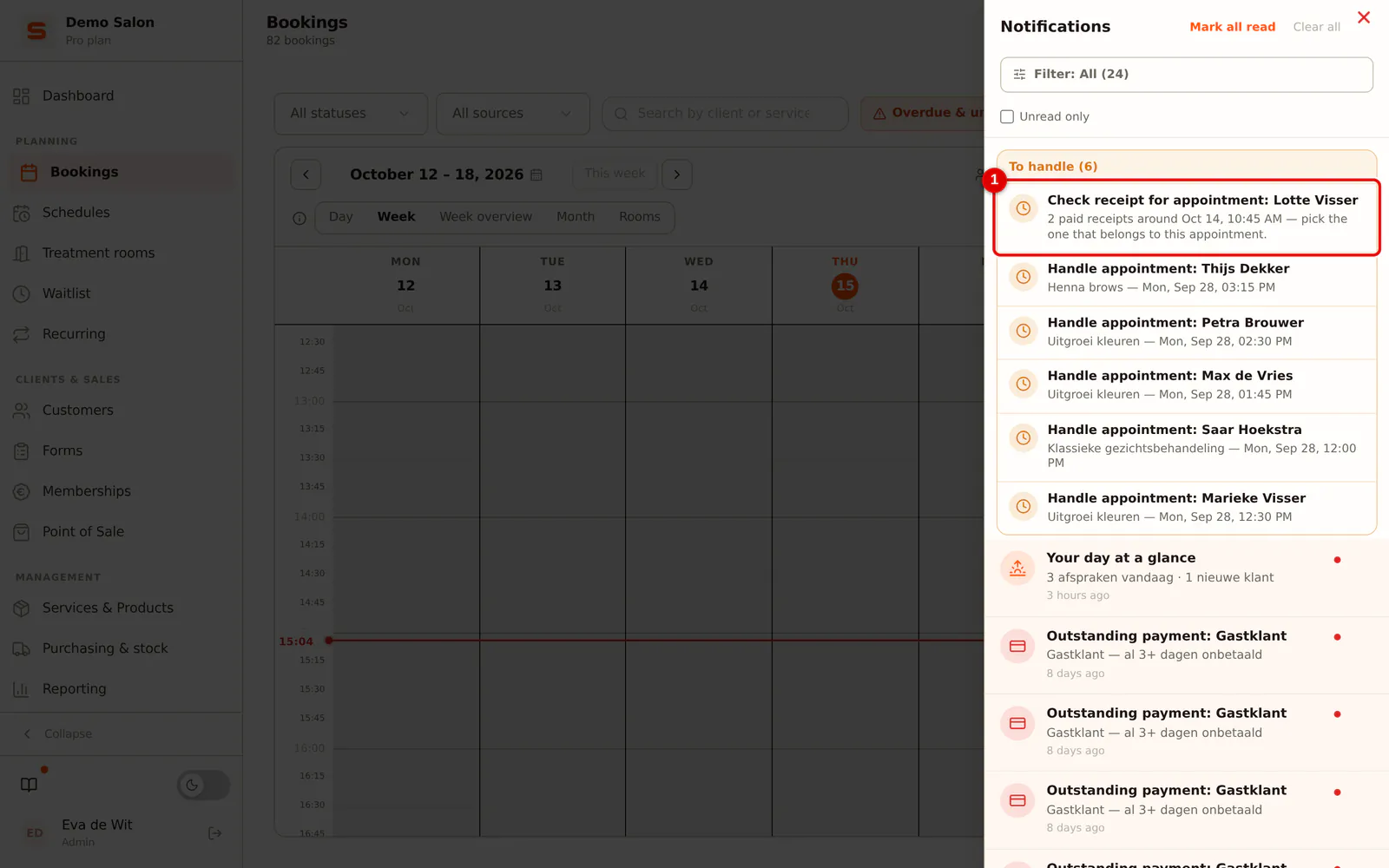
Step 2: Open the card
In the To handle block is the Check receipt for appointment card with the client's name. The text says why Salonnare couldn't do it itself, for example because there are two paid receipts around that time. Click the card.
 (Enlarge image)
 -
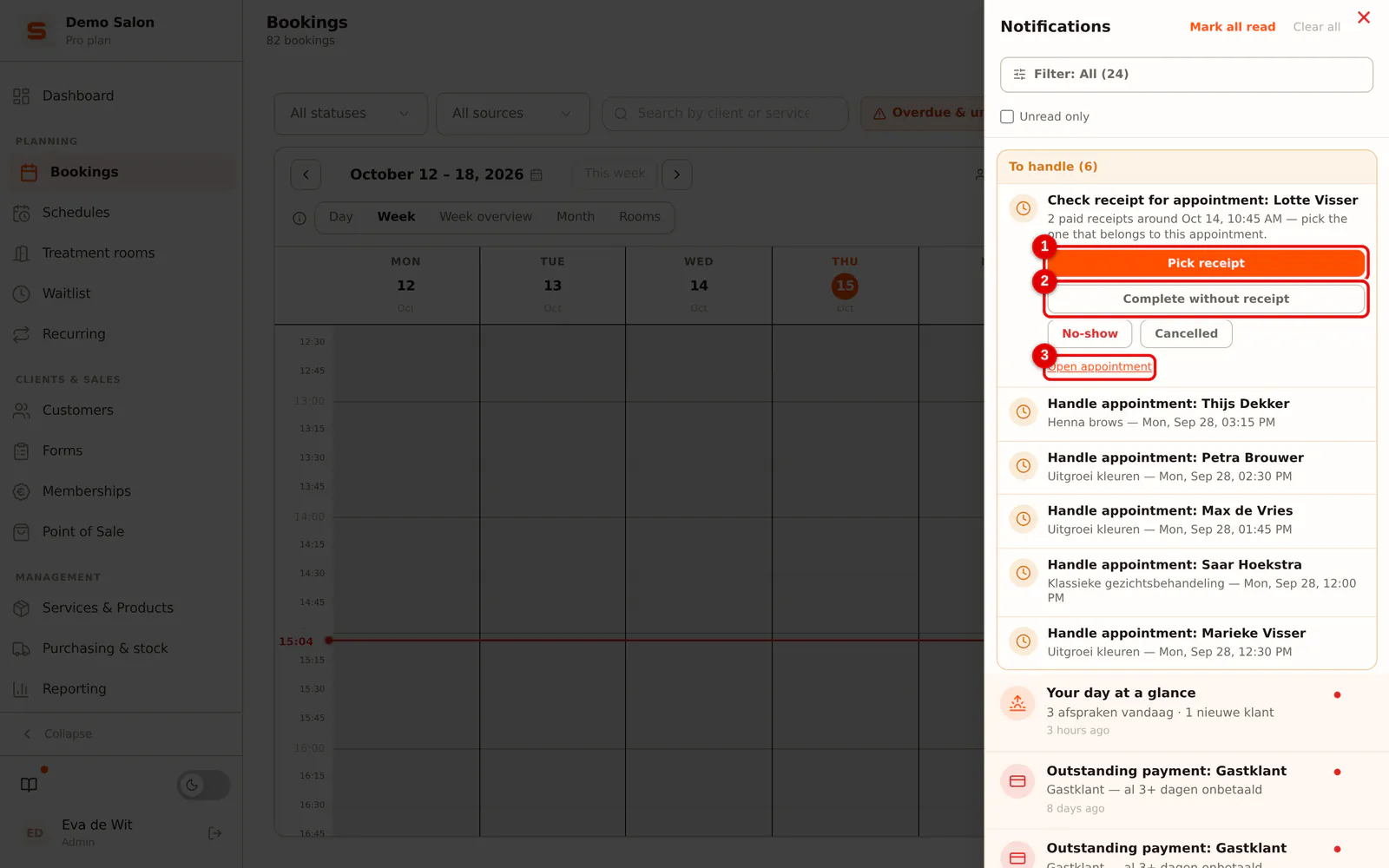
Step 3: Choose Pick receipt
Click Pick receipt. If there was no receipt, choose Complete without receipt, or No-show or Cancelled if the client didn't come. Open appointment takes you to the appointment in the calendar.
 (Enlarge image)
 -
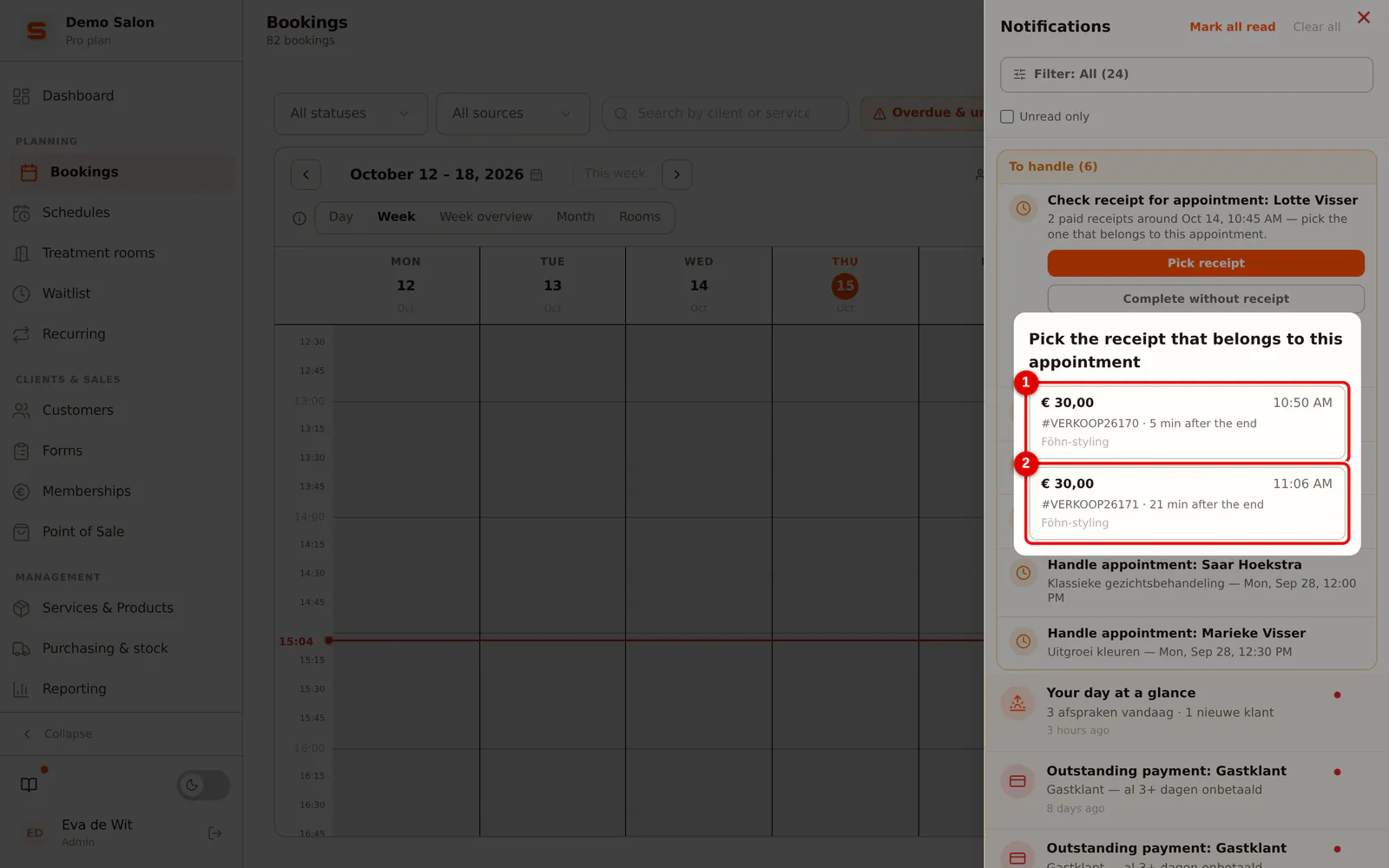
Step 4: Pick the receipt
You see all paid receipts from that client on that day, with the amount, time, receipt number, how many minutes before or after the end of the appointment it was paid, and the lines on it. Click the receipt that belongs to the appointment. The appointment is set to Completed straight away.
 (Enlarge image)
Right after linking, Undo appears. You can also do it later: open the receipt in the till under Orders and, under Linked appointments, click Undo link. The appointment then goes back to Scheduled and the card comes back.
The reasons on the card
| What it says | What you do |
|---|---|
| Several paid receipts around that time | Choose which receipt belongs to this appointment. |
| Several appointments for the same client on the same day | Decide which appointment the receipt paid for. |
| The receipt amount differs a lot | Check whether it is the same treatment. |
| The receipt only contains products | Check whether it was a separate product sale. |
| There is still a paid deposit outstanding | First check whether the client paid twice. |
You may still pick a receipt marked Already linked to another appointment, for example if a mother paid for herself and her daughter together.
How to prevent it
Check out an appointment from the appointment itself: click the appointment in the calendar and choose Go to checkout. The till opens with the treatments in it, and after payment the appointment is on Completed.
If you ring up a treatment separately in the till while the client still has an open appointment for it, the till asks Does this belong to an appointment?. Choose Link appointment or, if it really is separate, Keep it separate.
If the chosen client has an open appointment today that is not on the receipt, the till first asks Does this receipt belong to an appointment? when you check out. Pick the appointment, or No, separate sale if it really is separate.
Frequently asked questions
Does the client get a review request if I link a receipt afterwards? No. A link made afterwards is an administrative correction; no email goes out for it. If you choose Complete without receipt, the review request goes out the next morning at 09:00, just like when you complete the appointment in the calendar (see Client reviews).
What if the appointment falls in a closed VAT quarter? Then Complete without receipt shows a warning: completing without a receipt increases the turnover and the VAT base of that quarter.
Can I undo a link that was created at checkout? No. A link created at checkout is the truth of that receipt. If the receipt is wrong, refund it in the till.