Full export of your salon
With the full export you download everything your salon has in Salonnare in one go: clients, appointments, services, staff, products and stock, receipts with their lines and payments, gift cards, packages and courses, memberships, forms with their answers, treatment records, reviews and health notes. You get a ZIP file with a CSV file per section, which you can open in Excel, Numbers or LibreOffice.
This way you keep a copy yourself, look at your records in Excel, or take your data with you when you switch. That is your right to data portability under the GDPR.
Only an admin can create and download a full export.
Creating an export
-
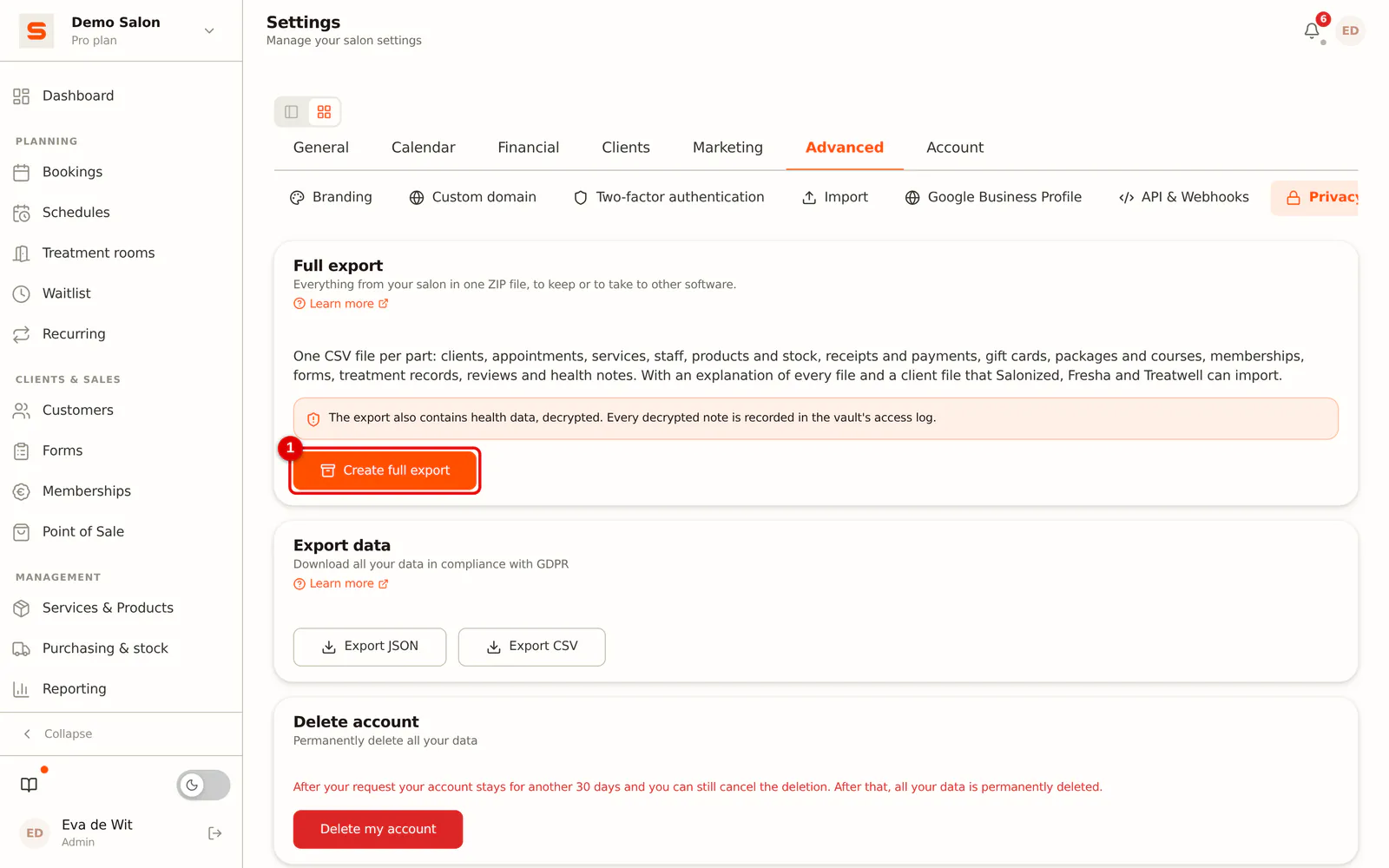
Step 1: Open Privacy & GDPR
Go to Settings > Advanced > Privacy & GDPR. The Full export card is at the top.
 (Enlarge image)
-
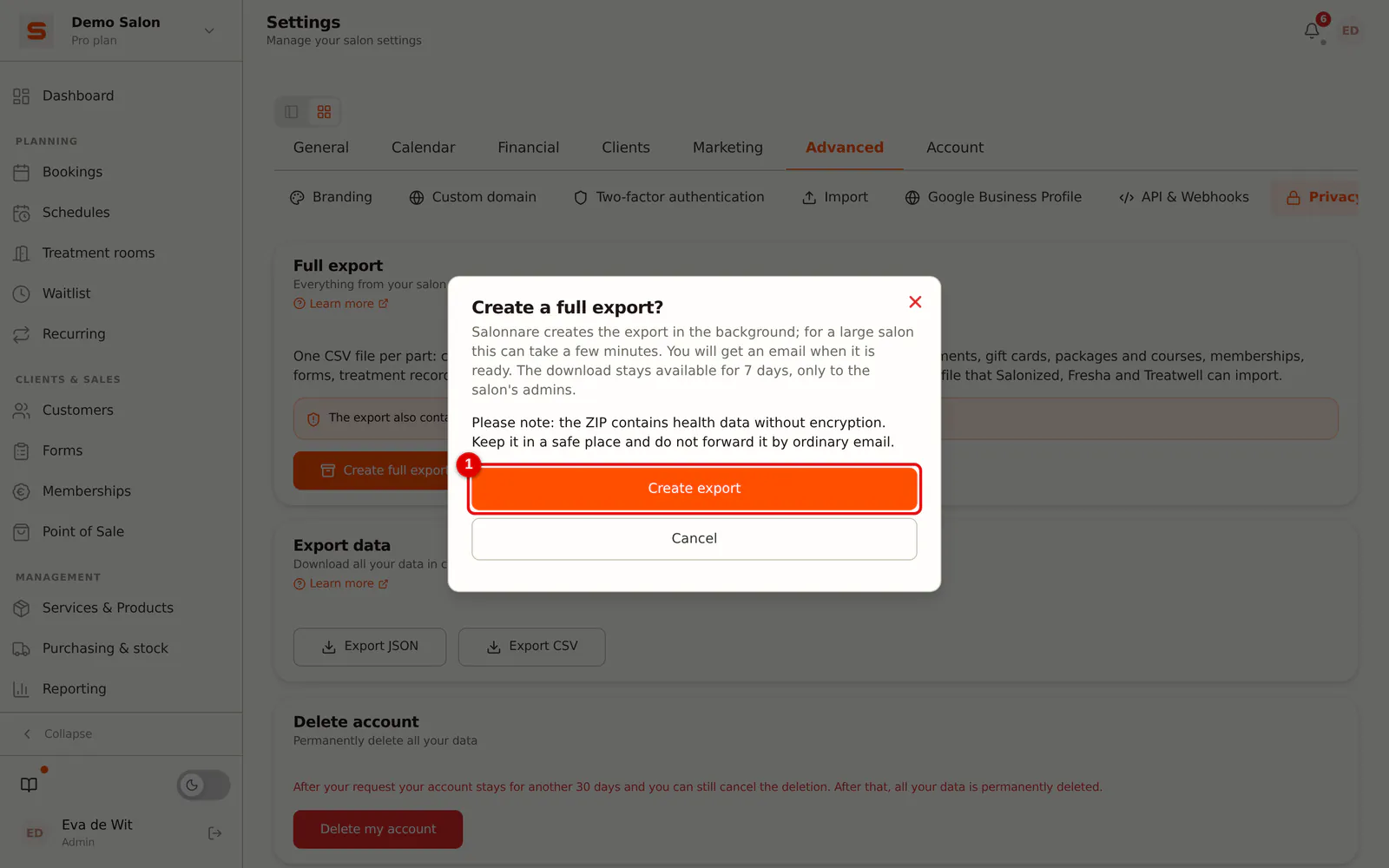
Step 2: Click Create full export
Click Create full export and confirm with Create export.
 (Enlarge image)
-
Step 3: Wait for the email
Salonnare creates the export in the background. You can follow the progress in the card, and you can simply close the screen. When the export is ready, you receive an email Your export is ready with a link to this screen. For a small salon this takes a few seconds, for a large salon a few minutes.
-
Step 4: Download the ZIP
In the Full export card, click Download. The file is called
salonnare-export-<salon>-<date>.zip.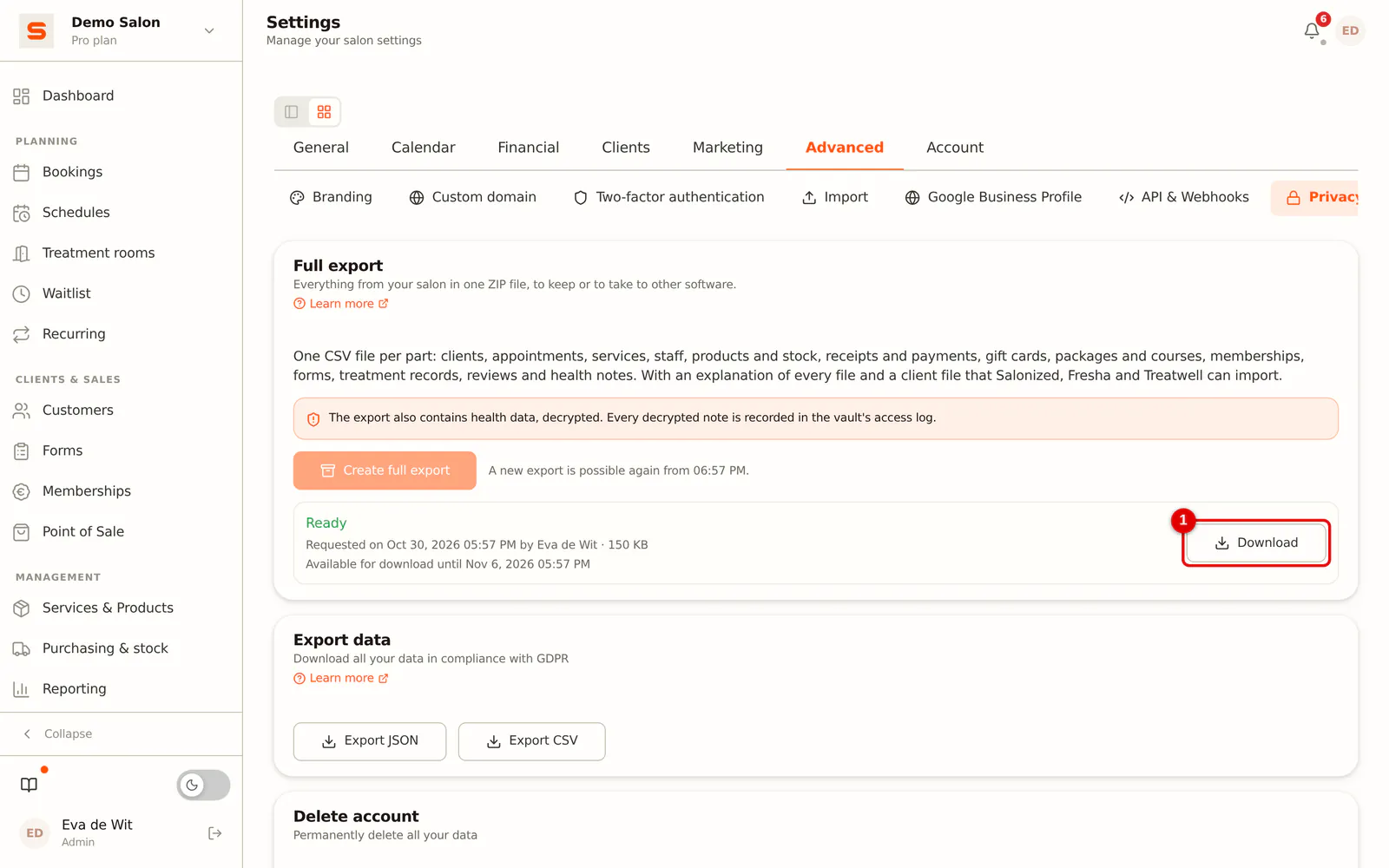 (Enlarge image)
You can run at most one export at a time, and a new export only an hour after the previous one. The download stays available for 7 days, for you and for the other admins of your salon. After that the file is deleted and you can create a new export if you need one.
What is in the ZIP?
| File | Contents |
|---|---|
README.txt | An explanation in your salon's language: what each file contains and what each column means |
clients.csv | Your clients with contact details, notes, labels, loyalty points and store credit |
clients-import.csv | The same clients in a format for Salonized, Fresha and Treatwell (see below) |
appointments.csv and appointment-services.csv | All appointments, including cancelled ones, and the services per appointment |
services.csv | Your services with duration, price and VAT |
staff.csv | Your staff with role and permissions (without passwords or PIN codes) |
products.csv and stock-movements.csv | Products with stock, and every change in stock |
receipts.csv, receipt-lines.csv and payments.csv | The till: receipts, what is on them and how they were paid |
gift-cards.csv and gift-card-transactions.csv | Gift cards with balance, and every use |
packages.csv and courses.csv | Your packages and the courses sold |
memberships.csv and membership-payments.csv | Your clients' memberships and the collections |
forms.csv and form-answers.csv | Your forms and your clients' answers |
treatment-records.csv and treatment-record-addenda.csv | Treatment records per client |
reviews.csv | Reviews with your reply |
health-notes.csv | Health notes from the secure vault |
files.csv and the files folder | Attachments, client photos and photos on treatment records and forms |
The numbers (for example client_id) are the same in every file. That way you can look up the client of an appointment in clients.csv.
Not in the export: passwords, PIN codes, the keys of connected services such as Mollie and Stripe, your settings and your email templates. A technical backup that you can restore is made via Backup and data copy.
Opening the files in Excel
Double-click a CSV file and Excel opens it as a table. The files use a comma as the delimiter and a point as the decimal separator, as Excel in English expects. Dates are written as 2026-10-30, times in your salon's time zone.
Is everything in a single column? In Excel, choose Data > From Text/CSV, then choose Comma as the delimiter and UTF-8 as the file origin.
If a text starts with =, +, - or @, an apostrophe is placed in front of it. That way Excel can never run a client name or note as a formula.
Switching to another salon system
clients-import.csv is made for importing your clients into Salonized, Fresha or Treatwell. It contains what all three accept: first name, last name, email address, mobile number, gender and date of birth, with English column names (First name, Last name, Email, Mobile phone, Gender, Birthday).
- Use the file as it is. Do not open and save it in Excel first: that changes the format.
- In Salonized you choose for each column what it contains. Fresha recognises the columns by name. In Treatwell you can upload the file or fill in their own template.
- Notes are deliberately left out: they can contain health data. Only transfer them by hand if you need to.
- Fresha automatically opts imported clients in to marketing messages. Check this after importing.
Health data in the export
Health notes, treatment records, sensitive form answers and attachments are stored encrypted in Salonnare. In the export they are decrypted, so you can read them. Every decrypted health note and treatment record is recorded in the vault's access log, and creating and downloading the export is recorded in the Audit Log.
Keep the ZIP in a safe place, do not forward it by ordinary email, and delete it when you no longer need it. If someone from Salonnare support is looking along in your salon, they cannot create a full export.
Frequently asked questions
The button is greyed out. An export is already running, or the previous one was requested less than an hour ago. Below the button you can see from when it is possible again.
The export failed. You will then receive an email. None of your data is lost; try again. If it fails again, get in touch via Support.
My link no longer works. The download is available for 7 days. After that, create a new export.
Can a staff member download the export? No, only the admins of your salon.