Void a receipt
If you made a test sale or entered a receipt by mistake, you void that receipt. A voided receipt is kept with the status Cancelled, but does not count towards revenue, VAT, reports or the cash drawer. Stock, loyalty points, credit and gift card balance are restored, and a linked appointment is open again.
This is different from refunding. With a refund the sale stays and a credit note is added. That is the right route if the client really paid and gets money back.
When is it possible
Only an admin can void a receipt, and only if:
- the receipt is paid and from today (your salon's business day);
- the cash drawer for that day has not been closed yet;
- nothing has been refunded on it yet;
- it was not paid (partly) via Mollie, SumUp, Stripe or a payment link;
- a gift card from that receipt has not been used yet and the commission has not been paid out.
If it is not possible, Salonnare says why under the button. Use Refund then.
Voiding a receipt
-
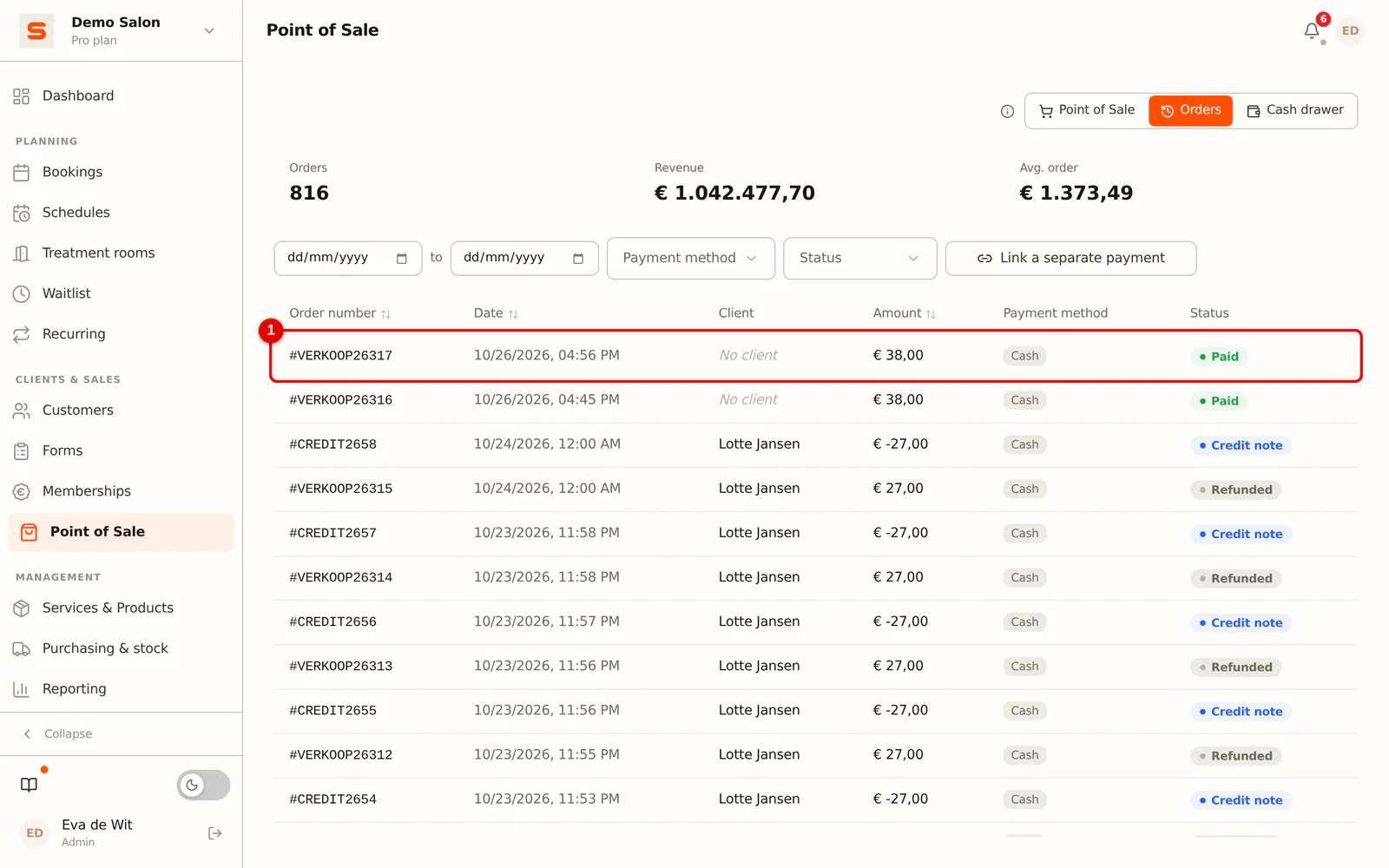
Step 1: Open the receipt
Go to the Point of Sale, open Orders and click the receipt.
 (Enlarge image)
-
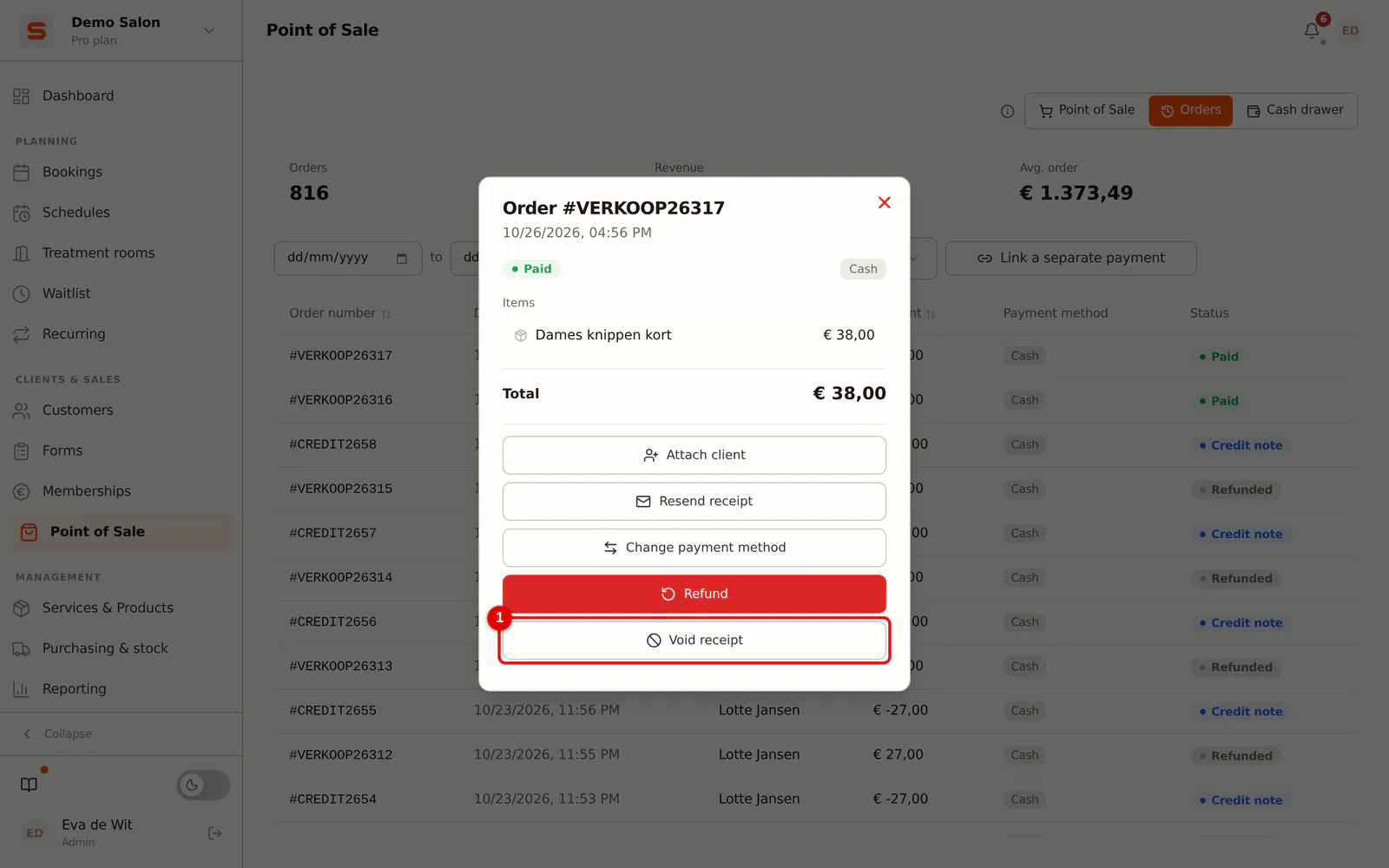
Step 2: Click Void receipt
Click Void receipt.
 (Enlarge image)
-
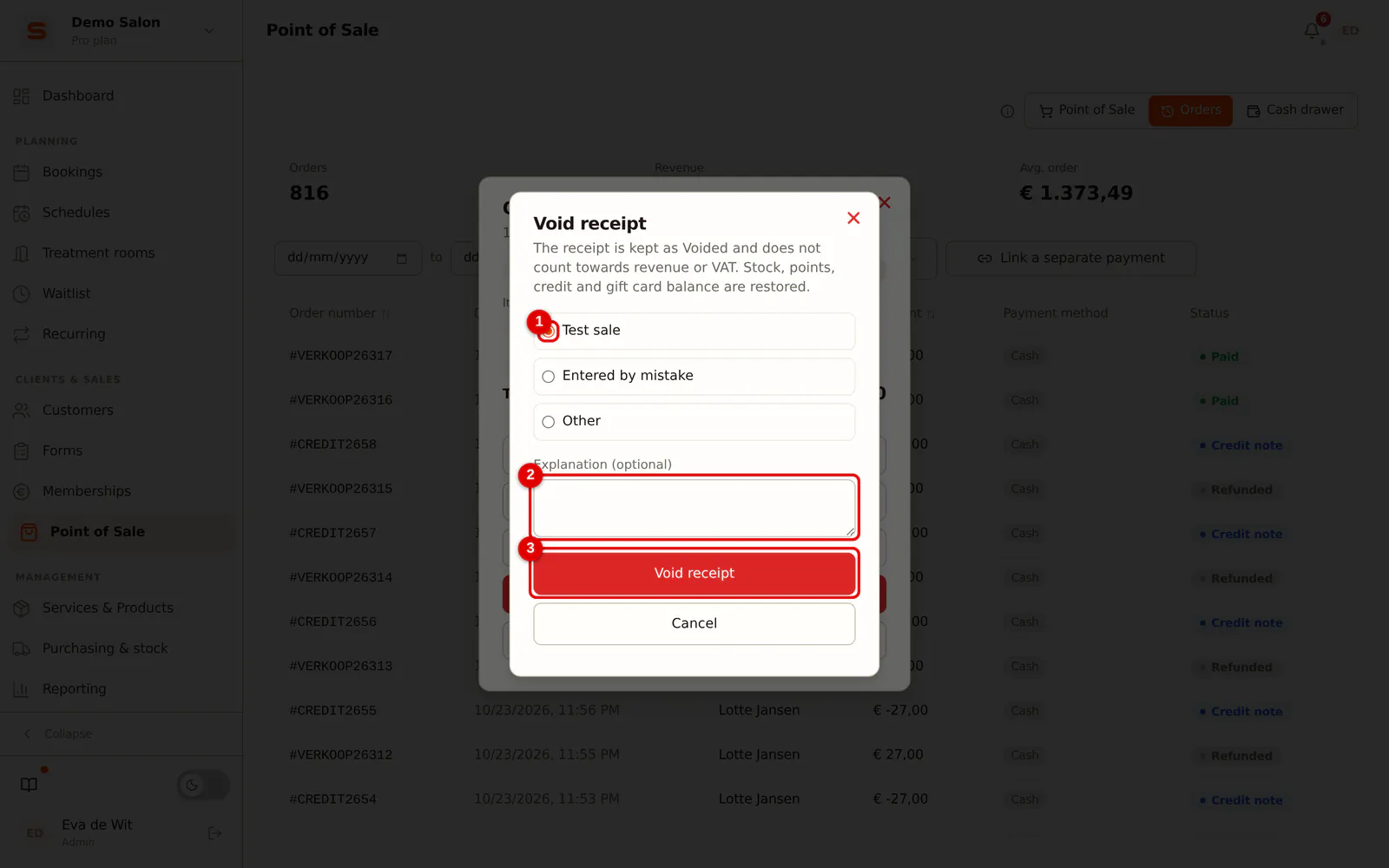
Step 3: Choose the reason
Choose Test sale, Entered by mistake or Other. With Other, an explanation is required.
 (Enlarge image)
-
Step 4: Confirm
Click Void receipt. The receipt is now Cancelled.
You see voided receipts in Orders with the Cancelled filter. It also shows who voided the receipt and when. The log shows every void with its reason.
Frequently asked questions
The receipt is from yesterday. Can I still void it? No. Use Refund; that adds a credit note and yesterday's figures stay correct.
Is the receipt number reused? No. The number stays with the voided receipt, so the series of receipt numbers stays complete.